Key takeaways
- Pro: One-touch pairing with an iPhone or iPad is quicker than the standard Bluetooth menu.
- Pro: Find My support helps you locate the speaker if it is left at a park or party.
- Pro: The built-in microphone handles calls and voice commands.
- Con: It is compact but dense; at about 680 g it is not as light as the Flip 7 despite a similar footprint.
- Con: The same features that help on iPhone are less useful on Android phones, so it is a poor pick if you may switch.
The best speaker for an iPhone depends on whether you want it to stay at home or travel. For a speaker that travels, the Beats Pill is the most iPhone-friendly option, with one-touch pairing and Find My support, while the Sonos Roam 2 is the pick if you also want AirPlay 2 over Wi-Fi at home. For a speaker that stays on a shelf and answers Siri, the HomePod mini is the simplest choice. This guide covers seven speakers for iPhone and iPad, explains the difference between Bluetooth and AirPlay, and answers the question that still comes up in searches: what happened to iPhone docking speakers.
Specifications come from manufacturer pages and published third-party reviews. Where sources disagree, the more conservative figure is used. Prices are described as tiers because street prices change often.
Our top picks


As an Amazon Associate we earn from qualifying purchases at no extra cost to you.
Bluetooth versus AirPlay 2: which connection do you need?
An iPhone can send audio to a speaker in two main ways, and the choice shapes everything else.
| Feature | Bluetooth | AirPlay 2 (Wi-Fi) |
|---|---|---|
| Works away from home | Yes | No, needs a Wi-Fi network |
| Multi-room | Limited, brand-specific | Yes, many speakers at once |
| Phone keeps playing if you leave the room | Phone must stay within range, about 10 m | Speaker streams from the network, so you can leave |
| Audio quality | AAC on iPhone | Higher bitrate, lossless-capable over Wi-Fi |
| Battery use on the phone | Low | Low to moderate |
| Typical speakers | Beats, JBL, Bose, Marshall | Sonos, HomePod, some Bose and JBL home models |
The practical rule: choose Bluetooth for a speaker that moves, and AirPlay 2 for a speaker that lives in a room. A few speakers, like the Sonos Roam 2, offer both.
Comparison of the seven picks
| Speaker | Connection | Rated battery | Water / dust | Weight | Best for | Price tier |
|---|---|---|---|---|---|---|
| Beats Pill | Bluetooth | 24 h | IP67 | about 680 g | iPhone-first portable | Mid |
| Sonos Roam 2 | Bluetooth and Wi-Fi AirPlay 2 | 10 h | IP67 | about 1 lb (435 g) | Home plus travel | Mid to premium |
| Apple HomePod mini | AirPlay 2, mains power | No battery | None | about 345 g | Siri, handoff, shelf | Entry |
| JBL Flip 7 | Bluetooth | 14 h | IP68 | 560 g | All-round portable | Mid |
| Bose SoundLink Flex (2nd Gen) | Bluetooth | 12 h | IP67 | about 590 g | Natural sound, calls | Mid to premium |
| Marshall Emberton III | Bluetooth | about 30 h | IP67 | compact, heavier than it looks | Style and battery | Premium |
| JBL Go 4 | Bluetooth | 7 h | IP67 | 190 g | Budget, pocket | Entry |
Beats Pill: the iPhone-friendly portable
Spec line: up to 24 hours rated, IP67, about 680 g, USB-C charging and lossless audio over USB-C, built-in microphone, Find My support, one-touch pairing with iPhone.
Best for: iPhone owners who want a speaker that pairs with one tap and can be found if lost. Skip if: you want the loudest or most bass-heavy speaker in the group.
- Pro: One-touch pairing with an iPhone or iPad is quicker than the standard Bluetooth menu.
- Pro: Find My support helps you locate the speaker if it is left at a park or party.
- Pro: The built-in microphone handles calls and voice commands.
- Con: It is compact but dense; at about 680 g it is not as light as the Flip 7 despite a similar footprint.
- Con: The same features that help on iPhone are less useful on Android phones, so it is a poor pick if you may switch.
Sonos Roam 2: best for home and away
Spec line: about 435 g (1 lb), IP67, 10 hours rated, Bluetooth 5.4 with aptX Adaptive for Android, Wi-Fi with AirPlay 2, Sonos app and multi-room.
Best for: an iPhone user who wants one speaker for the kitchen, the garden and the trip to a friend’s house. Skip if: you only want a travel speaker and do not use Wi-Fi at home.
- Pro: Switches between Wi-Fi at home and Bluetooth on the go.
- Pro: Joins a Sonos system and plays in sync with other Sonos speakers.
- Pro: AirPlay 2 lets the whole iPhone audio go to the speaker without being tied to Bluetooth range.
- Con: Ten hours is the shortest battery in this guide except the Go 4.
- Con: Premium price for a speaker of this size.
Apple HomePod mini: best Siri speaker for a shelf
Spec line: mains powered, AirPlay 2, Siri, handoff by proximity with an iPhone, about 345 g, small spherical design.
Best for: a bedroom, kitchen counter or desk where the speaker stays. Skip if: you want a battery or Bluetooth for non-Apple devices.
- Pro: Simple setup: bring your iPhone near the speaker and it configures itself.
- Pro: Siri works hands-free, and you can pair two speakers for stereo.
- Pro: Entry price tier among speakers in this guide.
- Con: No battery and no water rating.
- Con: No standard Bluetooth audio input for non-Apple devices, so it works best inside Apple’s ecosystem.
JBL Flip 7: best all-round Bluetooth portable
Spec line: 560 g, IP68, 14 hours rated, 35 W RMS, Bluetooth 5.4, Auracast, app equalizer.
Best for: the iPhone user who wants a rugged speaker with good volume and does not need Siri features. Skip if: you want a built-in microphone for calls.
- Pro: IP68 handles sand, splashes and a dip in the pool.
- Pro: Loud and clear at 560 g.
- Pro: Works with any phone, so the speaker survives a change of phone.
- Con: No microphone.
- Con: Does not have iPhone-specific features like one-touch pairing.
Bose SoundLink Flex (2nd Gen): best for calls and natural sound
Spec line: IP67, 12 hours rated, about 590 g, Bluetooth 5.3, built-in microphone, PositionIQ orientation-aware tuning.
Best for: podcasts, vocals and calls on an iPhone. Skip if: you want maximum volume.
- Pro: The microphone and voice pickup are among the best in this class of speaker.
- Pro: The tuning is balanced and stays consistent as you move the speaker.
- Pro: The Bose Music app is simple and fast.
- Con: SoundGuys measured just over seven hours of use, compared with the rated 12.
- Con: The equalizer has only three bands.
Marshall Emberton III: best for style and battery
Spec line: IP67, about 30 hours rated, Bluetooth, brass-colored controls, a guitar-amp look.
Best for: a desk or bookshelf speaker with a long battery. Skip if: you want the loudest sound for the price.
- Pro: The longest battery among the portable speakers in this guide.
- Pro: A distinctive design that looks good on a shelf.
- Pro: IP67 means the speaker can leave the house.
- Con: Premium price for its output.
- Con: Sound has a pronounced mid and treble character, with less bass than a similar-sized JBL.
JBL Go 4: best budget iPhone speaker
Spec line: 190 g, IP67, 7 hours rated, Bluetooth 5.4, Auracast.
Best for: a low-cost travel speaker. Skip if: you want to listen all day.
- Pro: Pocketable, light and rated IP67.
- Pro: Works with any phone.
- Pro: Entry price tier.
- Con: Short battery.
- Con: Thin bass.
iPhone docking speakers: what happened?
Docking speakers were built around the old 30-pin and Lightning connectors. Apple moved the iPhone 15 and later to USB-C, and most brands stopped making docks because wireless audio is easier and works across phones. If you search for an iPhone dock today, you will mostly find older stock or generic products. A better modern equivalent is a speaker that charges over USB-C, or a bedside speaker with a Qi or MagSafe-style wireless charging pad. Check that any dock lists your exact iPhone model, because a Lightning dock will not fit a USB-C iPhone.
If you want a speaker that charges your phone while it plays, the practical options are:
- Use a speaker with a USB-C power bank function, such as the JBL Charge 6, to charge a USB-C iPhone through a cable.
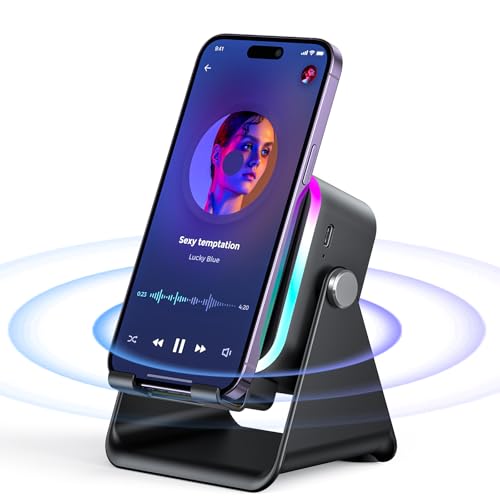
- Use a desktop speaker with a built-in wireless charger, which charges a phone placed on the pad.
- Keep a separate wall charger next to a HomePod mini or Sonos speaker and treat the speaker and phone charger as two devices.
Best speakers for iPad
An iPad works with all of the speakers above. A few extras:
- The iPad’s own speakers are good for casual use, so an external speaker mainly adds bass and volume.
- For a speaker beside a desk or a kitchen counter used with an iPad as a recipe screen, the HomePod mini or Sonos Roam 2 are the neatest options because they are small and stable.
- For video and games, choose a speaker with low latency; AirPlay 2 usually adds a short delay, so for fast-paced games a Bluetooth speaker or wired connection is better. Video apps compensate for delay automatically on both connections.
Fixing common iPhone and speaker problems
| Symptom | Likely cause | Fix |
|---|---|---|
| Speaker appears in Bluetooth list but will not connect | It is still paired to another phone or tablet | Switch Bluetooth off on the other device, or hold the speaker’s pairing button to clear the list |
| Audio stutters when you walk away | Bluetooth range is shorter through walls; the 10 m rating assumes a clear line of sight | Keep the phone within about 5 m indoors, or use an AirPlay 2 speaker on Wi-Fi |
| Sound is quiet even at full speaker volume | iPhone volume is low or Reduce Loud Sounds is active | Raise the iPhone volume to about 75 percent, then adjust the speaker |
| Calls route to the speaker unexpectedly | The speaker has a microphone and is the active audio output | Choose the output in Control Center before a call, or turn the speaker off |
| AirPlay speaker missing from the list | Phone and speaker are on different Wi-Fi networks or bands | Put both on the same network and restart the speaker’s Wi-Fi |
| Speaker disconnects every few minutes | Auto power-off or low battery | Charge the speaker and check the app for an auto-off timer |
A worked example: choosing for three different iPhone users
The commuter and weekend hiker. This person wants a speaker that survives a backpack, rain and a day outside. Priorities are IP rating, weight and battery. The JBL Flip 7 (560 g, IP68, 14 hours rated) or the Beats Pill (24 hours, IP67) fit best. If they take many calls, the Beats Pill’s microphone and Find My support tip it ahead.
The apartment dweller with a Mac, an iPad and an iPhone. This person plays music from several Apple devices and mostly listens in one or two rooms. A pair of HomePod mini speakers, or one HomePod mini plus a Sonos Roam 2 for the balcony, gives AirPlay 2 across the home. There is no battery to worry about for the HomePod mini, and the Roam 2 handles the trips outside.
The student on a tight budget. This person wants something that works with their phone today and a possible Android phone tomorrow. The JBL Go 4 is rated IP67, weighs 190 g and works with any phone. If one speaker is not enough for a dorm gathering, they can later add a second JBL speaker and link the two with Auracast.
Codec basics for iPhone owners
iPhones send Bluetooth audio using SBC or AAC. AAC is the better codec and is supported by most speakers from Beats, JBL, Sony and Bose, so you do not need to look for special codec features. Codecs like aptX Adaptive, listed on some Bose and Sonos models, work only with Android phones that support them. They do no harm on an iPhone; the speaker simply falls back to AAC. If you want the highest quality, AirPlay 2 over Wi-Fi or a USB-C wired connection from the iPhone is a better path than chasing a codec name.
How to choose: a short checklist
- Where will it live? If the speaker stays at home, consider AirPlay 2. If it travels, choose Bluetooth.
- Do you need Siri? Only the HomePod mini in this guide offers full Siri; the Beats Pill and Bose Flex pass voice commands through your iPhone.
- Do you switch phones? Choose a speaker that works with any phone (JBL, Bose, Marshall) rather than one built around iPhone features.
- How long do you listen? If you are away from a charger all day, pick 20 hours or more.
- Do you take calls? Choose a speaker with a microphone, such as the Beats Pill or Bose Flex.
Setting up a Bluetooth speaker with an iPhone
- Switch the speaker on and press its pairing button until the light blinks.
- On the iPhone, open Settings, then Bluetooth, and switch Bluetooth on.
- Tap the speaker’s name under Other Devices. The speaker should connect within a few seconds.
- Open Control Center, long-press the music tile and tap the AirPlay icon to confirm audio goes to the speaker.
- Set the iPhone volume to about 75 percent and adjust the final level on the speaker for headroom.
Frequently Asked Questions
What is the best portable speaker for iPhone?
The Beats Pill is the most iPhone-friendly portable speaker thanks to one-touch pairing and Find My support. The JBL Flip 7 is a close second and works equally well with any phone. The Sonos Roam 2 is best if you also want AirPlay 2 at home.
Does the iPhone work with any Bluetooth speaker?
Yes. Any Bluetooth speaker pairs with an iPhone. Extra features like one-touch pairing and Find My need a Beats or Apple speaker, but ordinary playback and calls work with all of them.
Are there iPhone docking speakers for USB-C iPhones?
Few. The dock category shrank as Apple moved away from Lightning and wireless audio became standard. If you want charging and music in one place, use a Bluetooth speaker with USB-C power bank output or a wireless charging stand next to a speaker.
Which speaker is best for an iPad?
The HomePod mini and Sonos Roam 2 are the neatest for a desk or kitchen. For a travel speaker that works with an iPad and any other device, the JBL Flip 7 is the more flexible option.
Is AirPlay 2 better than Bluetooth?
For a speaker at home, yes: it has better range, supports multi-room playback and keeps playing when your phone leaves the room. For travel, Bluetooth is better because it needs no network.
Which speaker has the longest battery for an iPhone?
The Marshall Emberton III is rated at about 30 hours and the Beats Pill at 24 hours. Both lose roughly half at loud volume, so plan accordingly for a long day outdoors.
More from Amazon
Programs that pair well with the guide above. Offers and eligibility are set by Amazon and may change.
Free shipping on eligible items, Prime Video and more. Eligible new members can start with a free trial.
Start a Prime free trialAd-free music streaming. Eligible new subscribers can start with a free trial.
Try Music Unlimited freeA Prime membership for ages 18-24 with a trial period. Eligibility is set by Amazon.
See Prime for Young AdultsAudiobooks and podcasts to listen to on the go. Eligible new members can start with a free trial.
Try Audible freeAs an Amazon Associate we earn from qualifying purchases.