Key takeaways
- Pro: The voice quality and speaker clarity are the reasons it tops several roundups.
- Pro: Teams certification means it integrates smoothly with the Teams client.
- Pro: Voice Level Normalization evens out the volume between quiet and loud speakers in the room.
- Con: Premium price tier.
- Con: Not designed for music; it is tuned for speech.
If you need a speaker mainly for calls, buy a dedicated speakerphone, not a music speaker: the Jabra Speak2 55 is the premium choice, the Anker PowerConf S3 is the value choice for small rooms, and the Poly Sync 20 is the pick for personal use with a long battery. If you want a music speaker that can also take occasional calls, the Bose SoundLink Flex (2nd Gen) and Beats Pill have built-in microphones, while many popular speakers, including the JBL Flip 7, do not. This guide covers seven Bluetooth speakers with microphones and explains how to match microphone count and pickup range to your room.
Specs come from manufacturer pages and published roundups. Where sources disagree on a figure, the article states the range or uses the more conservative value. Prices are described as tiers, not dollar amounts.
Our top picks


As an Amazon Associate we earn from qualifying purchases at no extra cost to you.
Music speaker or speakerphone?
The two categories look similar but are built for different jobs.
| Feature | Music speaker with a mic | Dedicated speakerphone |
|---|---|---|
| Microphones | One, sometimes two | 3 to 8 in an array |
| Echo cancellation | Basic or none | Full-duplex, so both sides can speak at once |
| Voice pickup range | About 1 m | 2 to 3 m or more |
| Sound tuning | Music, bass and width | Clear speech, midrange focus |
| Software certification | Rarely | Often Zoom or Teams certified |
| Best for | Occasional calls, music first | Daily calls and meetings |
Comparison of seven picks
| Model | Type | Microphones | Rated battery | Pickup or size | Price tier |
|---|---|---|---|---|---|
| Jabra Speak2 55 | Speakerphone | 4 beamforming | about 12 h (most sources) | Personal to small room | Premium |
| Anker PowerConf S3 | Speakerphone | 6 in a ring | Up to 24 h call time | About 8 ft pickup radius | Mid |
| Poly Sync 20 | Speakerphone | 3 | Up to 20 h talk time | About 2 m pickup, IP64 | Mid |
| EMEET M0 Plus | Speakerphone | 4 AI mics | 10 h talk time | Daisy chain up to 16 people | Entry |
| EMEET Luna Plus | Speakerphone | 8 | 10 h | Up to about 10 people | Entry to mid |
| Bose SoundLink Flex (2nd Gen) | Music speaker | 1 built in | 12 h | IP67, about 590 g | Mid to premium |
| Beats Pill | Music speaker | 1 built in | 24 h | IP67, about 680 g | Mid |
Jabra Speak2 55: best premium speakerphone
Spec line: 50 mm full-range speaker, four beamforming microphones, Voice Level Normalization, about 12 hours of battery by most sources (one table lists 24), Bluetooth range around 30 m, Microsoft Teams certified.
Best for: professionals who run calls and meetings every day. Skip if: you only need an occasional call or have a tight budget.
- Pro: The voice quality and speaker clarity are the reasons it tops several roundups.
- Pro: Teams certification means it integrates smoothly with the Teams client.
- Pro: Voice Level Normalization evens out the volume between quiet and loud speakers in the room.
- Con: Premium price tier.
- Con: Not designed for music; it is tuned for speech.
Anker PowerConf S3: best value for small rooms
Spec line: six microphones in a ring, Bluetooth 5, USB-C, up to 24 hours of call time, pickup radius listed around 8 ft.
Best for: home offices, a small huddle room or a group call of up to about six people. Skip if: you need a certified Teams or Zoom device.
- Pro: Six microphones and a long battery for the price tier.
- Pro: Voice Radar-style AI noise reduction on the PowerConf line reduces background noise.
- Pro: Roundups such as Technobezz name it the best value pick.
- Con: Anker issued a safety recall for some other Soundcore and PowerConf Bluetooth speakers because of battery overheating; the S3 was not on that list, but check the model number against the recall notice before you buy any Anker speaker.
- Con: Sound is clear but not as rich as the Jabra.
Poly Sync 20: best long battery and rugged build
Spec line: three microphones, Bluetooth 5.1, up to 20 hours of talk time, IP64, USB output that can charge a phone, Teams certified, pickup range around 2 m.
Best for: a personal speakerphone, a desk or a car trip. Skip if: you need a speaker for a meeting table of more than three or four people.
- Pro: Long talk time and IP64 dust and splash protection.
- Pro: Charges a phone through its USB port.
- Pro: Teams certification.
- Con: Short pickup range limits it to one to three people.
- Con: Plastic body feels less premium than the Jabra.
EMEET M0 Plus: best budget speakerphone
Spec line: four AI microphones, 3 W speaker, 10 hours of talk time, USB-C and Bluetooth 5.0, daisy-chain up to 16 attendees.
Best for: a low-cost speakerphone for a home office. Skip if: you want a speaker for music.
- Pro: Entry price tier.
- Pro: The daisy-chain feature suits a long conference table.
- Pro: Four AI microphones handle most home-office noise.
- Con: A 3 W speaker is quiet for a large room.
- Con: Fewer enterprise certifications than Jabra or Poly.
EMEET Luna Plus: best budget for a larger table
Spec line: eight microphones, 10-hour battery, coverage for up to about 10 people.
Best for: a small meeting room on a budget. Skip if: you need a Teams or Zoom certified device.
- Pro: More microphones than most speakerphones in its price range.
- Pro: Covers a larger table than the M0 Plus.
- Pro: Entry to mid price tier.
- Con: Speaker volume and tuning are modest.
- Con: Brand has less long-term service history than Jabra and Poly.
Bose SoundLink Flex (2nd Gen): best music speaker with a mic
Spec line: built-in microphone, IP67, 12 hours rated, about 590 g, Bluetooth 5.3, aptX Adaptive, PositionIQ.
Best for: someone who mostly plays music and wants to take a call without picking up the phone. Skip if: you hold regular group calls.
- Pro: The microphone and speaker handle one-on-one calls at close range.
- Pro: Great sound for music and podcasts.
- Pro: Waterproof, so it works in a kitchen or on a patio.
- Con: A single microphone has limited range; sit within about one meter.
- Con: Not certified for Teams or Zoom.
Beats Pill: best music speaker with a mic for iPhone users
Spec line: built-in microphone, IP67, up to 24 hours rated, about 680 g, USB-C with lossless audio, one-touch pairing and Find My on iPhone.
Best for: iPhone owners who want music first and quick calls second. Skip if: you need a conference-room device.
- Pro: Long battery.
- Pro: One-touch pairing and Find My support.
- Pro: Rugged IP67 body.
- Con: A single microphone.
- Con: Not tuned for large rooms.
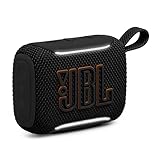
Note that several popular music speakers, including the JBL Flip 7, do not have a built-in microphone, so check the spec list for a microphone before you buy a speaker for calls.
How to size a speakerphone for your room
Match microphones to people
A speakerphone’s microphone array picks up voices from all around it, but quality falls with distance. A practical sizing chart based on the figures above:
| People | Typical distance to farthest speaker | Suitable class |
|---|---|---|
| 1 (personal) | Under 1 m | Poly Sync 20 or a music speaker with a mic |
| 2 to 4 | 1 to 2 m | Jabra Speak2 55, EMEET M0 Plus |
| 4 to 6 | 2 to 2.5 m | Anker PowerConf S3 (8 ft pickup) |
| 6 to 10 | 2.5 to 3 m | EMEET Luna Plus, or two linked speakerphones |
| 10 or more | More than 3 m | A room system, not a portable speakerphone |
A pickup radius of 8 ft is about 2.4 m, so the Anker S3 covers a table about 4.8 m across in theory. Speech clarity drops near the edge, so use 60 to 70 percent of the claimed radius as your working distance.
Echo cancellation and full duplex
Full-duplex means both sides can speak at the same time without one cutting the other off. Dedicated speakerphones from Jabra and Poly are built for this. Music speakers often use half-duplex tricks, so talking over each other can clip words. For regular calls, choose a speakerphone.
Certification
If your company uses Microsoft Teams or Zoom Rooms, certified devices offer one-touch join and deeper integration, such as mute buttons that sync with the app. Jabra Speak2 55 and Poly Sync 20 are Teams certified. If you are a freelancer or small business, certification is nice to have but not required.
Connection: Bluetooth, USB or both
A USB connection gives lower latency and stable audio for calls. Bluetooth is useful for phones and tablets. Most speakerphones here offer both, with USB for the computer and Bluetooth for the phone. Check whether a USB-A or USB-C dongle is included for computers without Bluetooth.
Why room acoustics matter as much as the device
A bare room with hard walls, glass and a wooden table reflects sound for a long time. The microphones pick up those reflections, and the far side hears an echo or a hollow, watery voice. Even a premium speakerphone cannot fully remove that. A few cheap changes help more than upgrading the model:
- Add soft surfaces. A rug, curtains, a bookshelf of books or a fabric panel on one wall reduces reflections noticeably.
- Move the device off the table edge. A speakerphone near the edge picks up reflections from the floor and from the person leaning over it.
- Keep the device in the middle. The microphone array hears every seat equally when it sits at the center of the table.
- Close the door and windows. AI noise reduction handles steady noise like a fan, but sudden sounds like a passing truck still leak through.
Troubleshooting call problems
| Problem | Likely cause | Fix |
|---|---|---|
| The other side hears an echo | Two devices are both playing and picking up the call, such as a laptop and a speakerphone | Mute or disable the laptop speakers and microphone in the call app |
| Your voice sounds distant | You are outside the pickup range | Move closer; stay within 60 to 70 percent of the claimed radius |
| The first word is clipped | The speaker is half-duplex or the noise gate is aggressive | Pause briefly after un-muting, or choose a full-duplex speakerphone |
| The call drops over Bluetooth | Interference or the phone is out of range | Use the USB connection for the computer, and keep the phone within 5 m |
| Volume is low on the far side | Wrong microphone selected in the app | Choose the speakerphone as the input device in the audio settings |
A worked example: choosing for a home office and a small team room
Home office, one person, video calls three hours a day. The person sometimes wears headphones but wants an option for open-room calls. A personal speakerphone with Teams or Zoom support covers this. The Poly Sync 20 fits because its pickup range of around 2 m matches a desk, and its 20-hour talk time means a weekly charge. The Jabra Speak2 55 is the upgrade if call quality is critical and the budget allows.
Small team room, six people around a table 2.4 m long. The farthest person is about 1.2 m from the center. That is inside the S3 8 ft radius with margin, so one Anker PowerConf S3 covers it. If the table were 4 m long, the farthest person at 2 m would be near 80 percent of the radius, so two units or an EMEET Luna Plus (eight microphones) would be a safer choice.
A parent who plays music in the kitchen and takes the occasional call from a relative. A speakerphone is overkill. The Bose SoundLink Flex (2nd Gen) handles music in the kitchen, survives splashes and answers calls at close range, which fits this day.
Phones, tablets and computers: connection tips
- Phone calls: Pair by Bluetooth. Most speakers show a call indicator light and let you answer and hang up with a button.
- Computers: Use USB if the speakerphone offers it. It avoids Bluetooth compression, which makes voices sound thinner, and it avoids the delay that can make conversation awkward.
- Multipoint: Some speakerphones connect to a computer and a phone at the same time, so you can switch between a desk call and a mobile call without re-pairing. Check the spec for multipoint support.
- Firmware: Update through the manufacturer app. Jabra, Poly and Anker all provide updates that fix connection bugs.
Privacy and safety
A speakerphone in an open room lets other people hear the call. For confidential calls, use headphones or a closed door. Also check any recall notices before you buy a speaker with a lithium battery; manufacturers sometimes recall specific production batches for overheating, and recalls are published by consumer-safety agencies. Use the model number printed on the device, not just the product name, when you check.
Better calls: setup tips
- Place the speakerphone in the center of the table, away from laptop fans and projectors.
- Keep it about 30 cm from walls and large flat surfaces to reduce echo.
- Set the speaker volume to about 60 to 70 percent and avoid pushing to maximum, because high volume can leak back into the microphones.
- In the call app, select the speakerphone as both the microphone and the speaker, not just one of them.
- Mute the microphone when you are not speaking in a group of more than three people.
Frequently Asked Questions
What is the best speaker with a microphone for calls?
The Jabra Speak2 55 is the best premium speakerphone, the Anker PowerConf S3 is the best value, and the Poly Sync 20 is the best for personal use with a long battery. For music with occasional calls, the Bose SoundLink Flex (2nd Gen) and Beats Pill have built-in microphones.
Do Bluetooth speakers have microphones?
Some do, and some do not. The Bose SoundLink Flex (2nd Gen) and Beats Pill include one, while the JBL Flip 7 does not. Check the specification list and look for a microphone or speakerphone mention.
Can I use a Bluetooth speaker for Zoom calls?
Yes, if it has a microphone and your computer supports Bluetooth. For daily Zoom calls, a dedicated speakerphone gives clearer voice pickup and echo cancellation than a music speaker.
How many microphones do I need?
One microphone is fine for a personal call at close range. For a table of three to six people, look for four to six microphones in an array. For more than six people, choose eight microphones or a room system.
Are speakerphones good for music?
They are tuned for speech, so music sounds thin compared with a music speaker. They are fine for background audio, but a music speaker is a better choice for listening.
Do I need a certified speakerphone for Teams or Zoom?
No, any speakerphone that your computer recognizes as a microphone and speaker works. Certified models add one-touch controls and tighter integration, which is useful in a managed office.
More from Amazon
Programs that pair well with the guide above. Offers and eligibility are set by Amazon and may change.
Free shipping on eligible items, Prime Video and more. Eligible new members can start with a free trial.
Start a Prime free trialAd-free music streaming. Eligible new subscribers can start with a free trial.
Try Music Unlimited freeA Prime membership for ages 18-24 with a trial period. Eligibility is set by Amazon.
See Prime for Young AdultsAudiobooks and podcasts to listen to on the go. Eligible new members can start with a free trial.
Try Audible freeAs an Amazon Associate we earn from qualifying purchases.