Key takeaways
- Compare five USB-C to HDMI adapters for iPhone 17, from a pocket 4K dongle to an 8K 2.1 model, with refresh, charging, and HDCP notes to check.
An iPhone 17 can drive a 4K television at 60 frames a second, but the phone has only one USB-C port, so the adapter you pick decides what else that port can do while the picture is on the screen. A bare video dongle is fine for a short clip, yet a long film or a full presentation drains the battery and leaves no way to plug in a clicker or a drive. The real choice is not between brands, it is between video alone and video plus charging, and between a pocket dongle and a larger multiport block.
This guide is for presenters who run slides from a phone, travelers who watch films on a hotel television, and anyone who wants a bigger screen for photos, games, or a desk setup. Each pick below was chosen from the name and details shown on its Amazon product page, with the refresh ceiling, the charging setup, and the HDCP support checked before it made the list.
Quick Picks
As an Amazon Associate we earn from qualifying purchases.
| Product | Best for | Key spec from title |
|---|---|---|
| Anker 310 USB-C to HDMI Adapter | Everyday carry and travel | 4K@60Hz output |
| Apple USB-C Digital AV Multiport Adapter | One dongle for screen, USB, and charging | HDMI 2.0 with HDR |
| Belkin USB-C to HDMI 2.1 Adapter | Future-proof 8K-ready setups | 8K@60Hz output |
| Cable Matters 48Gbps USB-C to HDMI 2.1 Adapter for macOS | High-refresh displays | 4K@240Hz ceiling |
| SABRENT USB-C to HDMI Adapter | A light aluminum pocket adapter | 4K@60Hz output |
How to Choose
Match the refresh ceiling to your display
The iPhone 17 outputs video at up to 4K at 60Hz, so an adapter that tops out at 4K at 30Hz will make motion look choppy on a modern television, even when the picture itself stays sharp. Check the refresh figure on the listing, not just the resolution, because many cheap dongles hide a 30Hz limit in the fine print. An 8K adapter does not push the iPhone past 4K at 60Hz, yet it gives you headroom for a laptop or a future phone, and it usually carries a newer HDMI version with HDR support. Buy the ceiling your display can actually use, and treat anything above it as a bonus.
Decide whether you need charging passthrough
The iPhone 17 has a single USB-C port, so a video-only adapter leaves the battery draining for the whole session, and a long film or a full-day workshop can end early. A passthrough model lets a charger feed the phone while the picture stays on the screen, which matters most for presentations, flights, and hotel stays. Remember that the phone itself caps wired charging near 30W, so a 60W or 100W passthrough figure describes the adapter, not the charge the phone will take. If you only mirror short clips, a bare dongle is lighter and simpler.
Adapter or cable, and the HDMI cable you already own
A stub adapter needs a separate HDMI cable, while an integrated-cable model plugs straight into the television with nothing else to carry. The stub is smaller in a pocket and lets you swap in a longer HDMI cable for a wall-mounted screen, yet it adds one more item to forget at home. An integrated cable is tidier for travel, but its fixed length can fall short on a large desk or a ceiling-mounted projector. Check the HDMI cable version too, because an old cable can cap a good adapter at 4K at 30Hz.
Check HDCP and the apps you watch
Streaming apps lock their best quality behind HDCP, and an adapter without HDCP 2.2 support can drop a film to standard definition or show a blank screen. Look for HDCP 2.2 in the listing details before you buy, and confirm the same for any HDMI cable in the chain. Audio travels over the same HDMI link, so a good adapter also carries surround sound to the television or sound bar. Note that the iPhone 17 has no analog audio on USB-C, so a 3.5mm jack on an adapter will not help headphones.
The 5 Best Options
Anker 310 USB-C to HDMI Adapter

The Anker 310 is the small dongle to carry when you want video out and nothing else in the way. It plugs straight into the iPhone 17, takes a standard HDMI cable on the other end, and drives a 4K display at 60Hz, which matches the best the phone can output. The body is short and light, so it hangs neatly from the phone without pulling on the port, and it needs no driver, no app, and no extra power. It is the pick for a bag that already holds a charger and a cable.
Specs
- 4K@60Hz output
- Resolutions up to 4K@60Hz, 4K@30Hz, 2K@60Hz, and 1080p@60Hz
- Model A8312
- Thunderbolt 3 compatible
- Compact dongle design
Best for: Everyday carry and travel.
Watch out for: It has no charging port, so the phone runs on battery while you watch, and you still need your own HDMI cable.
ASIN: B07THJGZ9Z
Apple USB-C Digital AV Multiport Adapter

Apple’s multiport adapter is the one to buy when a single port must do three jobs at once. It splits the iPhone 17 connection into an HDMI output, a standard USB-A port, and a USB-C charging port, so you can run a presentation, plug in a clicker receiver, and keep the phone charging at the same time. The HDMI output follows the HDMI 2.0 standard with HDR, and the USB-A port moves data at up to 5Gbps. It costs more than a bare dongle, yet it replaces a small hub for travelers who present.
Specs
- HDMI 2.0 output with HDR
- USB-A port up to 5Gbps
- USB-C charging port
- Model A2119
- Works with iPhone, iPad, and Mac
Best for: Presenters who need screen, USB, and charging from one dongle.
Watch out for: It is larger and heavier than a bare dongle, and the USB-C port is for charging only, not for data or a second display.
ASIN: B0D9MMFQNL
Belkin USB-C to HDMI 2.1 Adapter

The Belkin 2.1 adapter is the pick for buyers who want their dongle to outlast their phone. It carries HDMI 2.1 with 48Gbps of bandwidth, reaching 8K at 60Hz or 4K at 144Hz on a display that supports those modes, and it keeps HDR and HDCP 2.2 in the chain for protected films. A short tethered cable gives the plug a little slack, so the adapter does not lever against the phone port, and the whole unit weighs only 60 grams. With an iPhone 17 the output still caps at 4K at 60Hz, so the extra headroom is for the next device.
Specs
- 8K@60Hz output
- 4K@144Hz output
- HDR support
- HDCP 2.2 support
- Tethered 4.33 in cable
- 60 g
- Model AVC013btBK
Best for: Future-proof 8K-ready setups.
Watch out for: The iPhone 17 caps output at 4K at 60Hz, so the 8K ceiling only pays off with a laptop or a later phone, and there is no charging port.
ASIN: B0BKGMBSLR
Cable Matters 48Gbps USB-C to HDMI 2.1 Adapter for macOS

Cable Matters built this adapter around HDMI 2.1, with a 48Gbps link that reaches 8K at 60Hz or 4K at 240Hz on a display and host that support those modes. It also carries HDR and surround sound, and it works with Thunderbolt 5, Thunderbolt 4, and Thunderbolt 3 hosts, plus any USB-C port with DisplayPort Alt Mode. The firmware is tuned for Mac computers, where it unlocks higher refresh modes, yet the adapter still drives a 4K display at 60Hz from an iPhone 17. It is a strong pick when one adapter must serve a phone and a Mac.
Specs
- 8K@60Hz output
- 4K@240Hz output
- HDR support
- Thunderbolt 5 compatible
- Unidirectional USB-C to HDMI
- Model 201488
Best for: High-refresh displays and Mac owners.
Watch out for: The higher refresh modes are tuned for Mac computers, so with an iPhone 17 you get 4K at 60Hz, and there is no charging port.
ASIN: B0DCN798Y1
SABRENT USB-C to HDMI Adapter

The SABRENT adapter is a light aluminum dongle with a short integrated cable, so it plugs into the phone and the television with nothing else to carry. It supports video up to 4K at 60Hz over DisplayPort Alt Mode, and its HDMI side follows the HDMI 1.4b, 2.0b, and 2.1 standards depending on the display. The housing measures 1.69 by 0.94 by 0.39 inches and weighs 0.74 ounces, which makes it easy to slip into a pocket or a cable pouch. It is the simplest pick in this list for hotel televisions and quick hookups.
Specs
- 4K@60Hz output up to 4096 x 2160
- DisplayPort Alt Mode over USB-C
- HDMI 1.4b, 2.0b, and 2.1 support
- Aluminum alloy housing
- 1.69 x 0.94 x 0.39 in
- 0.74 oz
- Integrated cable
- Model DA-CH4K
Best for: A light aluminum pocket adapter for quick hookups.
Watch out for: The fixed cable is short, so a wall-mounted television may need an HDMI extension, and there is no charging port.
ASIN: B0DDRJFRYK
Which One Fits Your Situation
You present slides from your phone
Pick the Apple multiport adapter. It keeps the phone charging through a long session, and the USB-A port takes a clicker receiver or a flash drive without a second dongle. The Anker 310 works for a short talk, yet the battery drain and the missing USB port show up fast in a full-day workshop. Pack an HDMI cable and a charger, and test the setup on the venue display before the audience arrives.
You watch films on a hotel television
Pick the SABRENT adapter or the Anker 310. Both are small enough for a travel pouch, and the SABRENT model needs no separate HDMI cable, which is one less item to forget. Bring a short HDMI cable for the Anker, and check that the television has a free HDMI input before you settle in. A multiport model is overkill here unless you also need to charge while you watch.
One adapter for your phone and your laptop
Pick the Belkin 2.1 adapter or the Cable Matters 2.1 adapter. Both carry HDMI 2.1 with 8K headroom, HDR, and HDCP 2.2, so they serve a laptop with a high-refresh monitor as well as an iPhone 17. The Belkin model is the simpler choice for a general setup, while the Cable Matters model adds the most value for a Mac owner. Either one replaces a bare 4K dongle across your devices.
You run long sessions without a break
Pick an adapter with charging passthrough, such as the Apple multiport model. A bare video dongle leaves the phone draining for hours, and a dead phone ends the film or the call. If your adapter has no charging port, keep a separate charger and a short break in the plan, and remember the iPhone 17 caps wired charging near 30W.
Common Mistakes
- Buying a 4K@30Hz adapter and expecting smooth 60Hz motion on a modern television.
- Forgetting the HDMI cable, because stub adapters need one and integrated-cable models do not.
- Assuming the phone charges while mirroring, when only passthrough models feed power during video out.
- Using an adapter that lacks HDCP 2.2, then wondering why a streaming app drops to standard definition.
- Expecting 8K output from an iPhone 17, when the phone caps video out at 4K at 60Hz.
Frequently Asked Questions
How is a USB-C to HDMI adapter different from a USB-C hub?
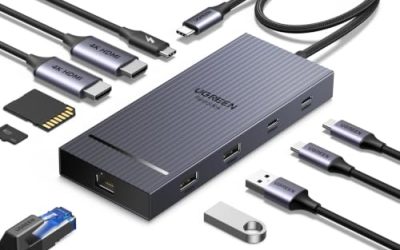
A USB-C to HDMI adapter does one job: turning the phone’s video signal into an HDMI signal. A USB-C hub adds USB-A ports, card readers, and Ethernet, which suits a desk setup but adds bulk and cost. For a single television, an adapter is smaller and easier to carry, while a hub makes sense when you need several connections at once.
How is it different from a plain USB-C adapter?
A plain USB-C adapter changes the connector shape or adds a USB-A port, yet it cannot drive a display, because it does not convert the video signal. A USB-C to HDMI adapter uses DisplayPort Alt Mode to carry video from the phone to an HDMI display. The two look alike in a pocket, so check the listing for HDMI output before you buy.
Will any USB-C to HDMI adapter work with an iPhone 17?
No, because the adapter must support DisplayPort Alt Mode, which is how the iPhone 17 sends video over USB-C. Charge-only dongles and data-only adapters will not show a picture. Check the listing for 4K at 60Hz output and DP Alt Mode support, and confirm the listing still has a seller before you order.
Do I need a separate HDMI cable?
It depends on the model. Stub adapters have an HDMI socket and need a cable of your own, while integrated-cable models plug straight into the television with nothing else to carry. Check the cable version too, because an old HDMI cable can cap a good adapter at 4K at 30Hz, and a short cable may not reach a wall-mounted screen.
More from Amazon
Programs that pair well with the guide above. Offers and eligibility are set by Amazon and may change.
Free shipping on eligible items, Prime Video and more. Eligible new members can start with a free trial.
Start a Prime free trialAd-free music streaming. Eligible new subscribers can start with a free trial.
Try Music Unlimited freeA Prime membership for ages 18-24 with a trial period. Eligibility is set by Amazon.
See Prime for Young AdultsAudiobooks and podcasts to listen to on the go. Eligible new members can start with a free trial.
Try Audible freeAs an Amazon Associate we earn from qualifying purchases.