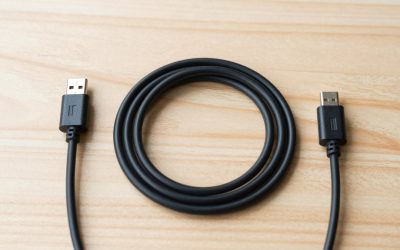
A USB-C charging cable is the single most likely accessory to fail in any phone, tablet, or laptop setup. Users deal with frayed insulation near the connector, intermittent charging that mimics a dead battery, and cables rated for 60W quietly capping a 240W-capable laptop. The frustration compounds because the products all look identical on a white background: same connectors, same braided sleeves in listing photos, near-identical Amazon titles. What separates a cable that lasts three years from one you replace every six months is the conductor gauge, the strain relief geometry, and whether the manufacturer actually validated the E-Marker chip to the wattage on the label.
This roundup compares eight cables spanning $8.97 to $24, ranging from single-unit purchases to five-packs, and from 60W pass-through designs to cables carrying the full 240W USB-C specification. The goal is to match your actual device wattage, your tolerance for clutter versus replacement frequency, and your budget to the right product. Owner feedback and published specifications tell a consistent story: the cheapest options are genuinely fine for phones but risky for laptops, and the most expensive option earns its premium mostly in build quality, not in electrical performance beyond what far cheaper cables already deliver.
Our top picks
 Anker USB C to USB C Cable
- Durable Design: Reinforced nylon exterior and a robust…
- Fast Charging: Supports Power Delivery for up to…
- Versatile Compatibility: Works with virtually all USB-C devices,…
| Product | Key specs | |
|---|---|---|
| Anker USB C to USB C Cable | Durable Design: Reinforced nylon exterior and a robust… Fast Charging: Supports Power Delivery for up to… Versatile Compatibility: Works with virtually all USB-C devices,… | Check price |
 LISEN USB C to USB C Cable LISEN USB C to USB C Cable | Check price | |
 INIU 240W USB C to USB C INIU 240W USB C to USB C | Check price | |
 Anker USB C to USB C Cable Anker USB C to USB C Cable | The Anker Advantage: Join the 80 million+ powered… Rapid Charging: Supports high-speed charging up to 100W… Highly Compatible: Designed to work flawlessly with any… | Check price |
 Anker USB A to USB C Cable Anker USB A to USB C Cable | The Anker Advantage: Join the 50 million+ powered… Enhanced Durability: Improved construction techniques and materials make… Universal Compatibility: Designed to work flawlessly with any… | Check price |
 LISEN USB C to USB C Cable LISEN USB C to USB C Cable | 60W Turbo Fast Charging:This iPhone 18 charger cord… Right for ALL Your Devices:This is the USB-C… Green Recyclable Materials:The LISEN USB C to USB… | Check price |
 Apple 240W USB-C to USB-C Woven Charge Apple 240W USB-C to USB-C Woven Charge | Ideal for charging, syncing, and transferring data between… Supports charging of up to 240 watts and… WHAT’S IN THE BOX | Check price |
 USB C to USB C Cable USB C to USB C Cable | [60W USB-C to USB-C Fast Charging Cable] Deliver… [iPhone 18/Duo/17 Pro Max Compatible Cable] Designed for… [Durable USB C Charging Cable | Check price |
As an Amazon Associate we earn from qualifying purchases at no extra cost to you.
Quick Picks
| Product | Best for | Price |
|---|---|---|
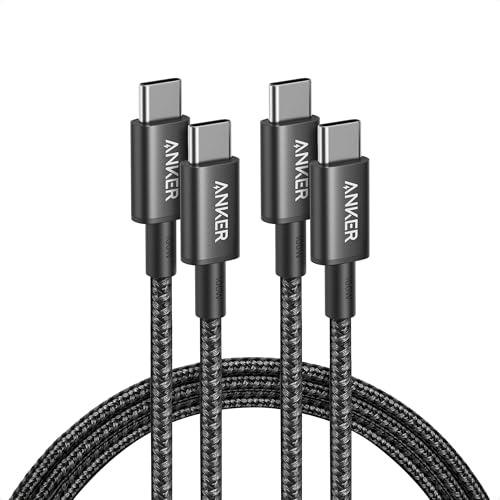
| Anker 60W 2-Pack | Phone owners who want a reliable spare | $9.99 |
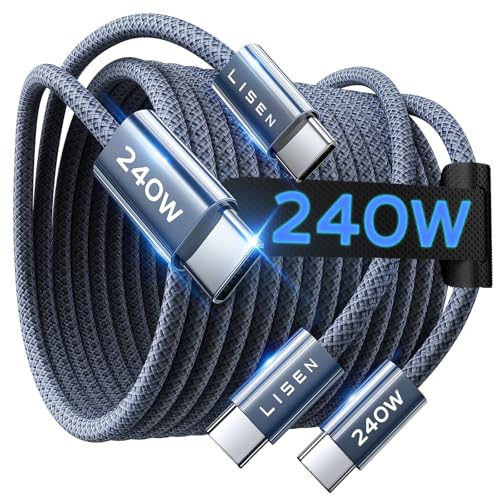
| LISEN 240W | Laptop users on the smallest budget | $8.97 |
| INIU 240W 2-Pack | Households splitting one high-watt cable between two devices | $9.47 |
| Anker 100W 2-Pack | Tablet and ultrabook owners needing headroom without laptop-grade cost | $12.99 |
| Anker USB-A to USB-C 2-Pack | Replacing legacy cables for car chargers and older wall adapters | $9.99 |
| LISEN 5-Pack 60W | Covering every room without hunting for the same cable twice | $9.99 |
| Apple 240W Woven | MacBook Pro owners who want the longest-lasting cable they can buy | $24 |
| USBC Cable 3-Pack White | iPhone users who match Apple’s aesthetic at a fraction of the cost | $9.99 |
How We Picked
Three criteria drove every selection here. First, wattage accuracy: the cable must carry at least the advertised load, and owner complaints about throttling or dropped connections at rated wattage were weighed heavily. Second, construction quality relative to price, assessed through long-term owner reviews mentioning fraying, connector wobble, and jacket splitting at the strain-relief point. Third, value density, which for multi-packs means per-unit cost and length variety, and for single cables means whether one unit justifies replacing a cheaper option. A cable that meets your device’s wattage with comfortable headroom and survives daily coiling wins over one that merely matches the spec on paper but fails within months.
The 8 Best Usb-C Charging Cable in 2026
Anker 60W 2-Pack
Anker’s 60W cable remains the safe default for phone and small-tablet charging. At two units for $9.99, it costs about five dollars per cable, and Anker’s track record with strain-relief molding means the connectors typically outlast the device they serve. The six-foot length covers a nightstand-to-wall-adapter scenario without excess slack pooling on a desk. Owner feedback consistently highlights reliable handshake with USB-C PD chargers, and the black TPE jacket resists the oil sheen that cheaper PVC cables develop after months of handling.
- Pro: Two cables per purchase reduces the chance of running dry when one is in a bag.
- Pro: Anker’s quality control on connector housing is visibly tighter than sub-$6 competitors.
- Con: 60W is the hard ceiling; this cable cannot handle a laptop requesting PD at higher wattage.
Skip it if your laptop or high-capacity tablet draws more than 60W and you want a single cable that handles everything.
LISEN 240W
This cable claims the full 240W USB-C PD 3.1 rating at $8.97, making it the cheapest path to laptop-capable charging in this list. The 6.6-foot length gives a small desk clearance margin over six-foot rivals. Owners report it sustains high-wattage negotiation without throttling, though the TPE jacket shows scuffing faster than braided alternatives. If you need one cable for a work laptop and refuse to pay double for a premium jacket, this delivers the electrical spec at the lowest price point available.
- Pro: Full 240W rating at the lowest price in the roundup.
- Pro: Slightly longer than six-foot options, useful for reaching a floor outlet.
- Con: Jacket durability lags behind the price-to-build ratio of the 2-Pack Anker options.
Skip it if you plan to coil and uncoil the cable daily; the single-unit cost savings evaporate if it frays within a year.
INIU 240W 2-Pack
INIU pairs two 6.6-foot 240W cables for $9.47, effectively offering the same electrical headroom as the single LISEN but giving you a spare or a second location for negligible extra cost. Owners note the connectors seat firmly with a satisfying click, and the cable negotiates correctly with 240W bricks from Anker, UGREEN, and Baseus without renegotiation cycles. The braided variant resists tangling better than plain TPE, which matters when both cables live in a bag.
- Pro: Two 240W cables for under $10 is exceptional value density.
- Pro: Braided jacket handles daily coiling noticeably better than TPE at this price.
- Con: INIU’s brand recognition is lower than Anker’s, so some buyers hesitate on warranty service.
Skip it if you only ever charge one device at high wattage; the second cable sits unused and the LISEN single saves you a drawer slot.
Anker 100W 2-Pack
At $12.99 for two six-foot cables rated to 100W, this sits in a practical middle ground: enough wattage for any tablet, most ultrabooks, and handheld gaming devices, without the E-Marker complexity that can cause handshake failures on marginal 240W cables. Anker’s 100W cable has years of owner feedback confirming long-term reliability at sustained load, and the two-pack format means one cable stays in a laptop bag while the other anchors a desk. The price premium over the 60W version is three dollars, which buys a meaningful headroom increase.
- Pro: 100W headroom covers virtually every device short of a high-performance MacBook Pro or workstation laptop.
- Pro: Proven Anker durability at a price that stays under $13 for two units.
- Con: Not the right choice if you need the full 240W ceiling for a 16-inch MacBook Pro under load.
Skip it if your device is phone-only; the extra wattage is invisible and the 60W 2-Pack is three dollars cheaper with identical physical build.
Anker USB-A to USB-C 2-Pack
Not every charger port has migrated to USB-C. Car adapters, power strips, and older laptop ports still expect USB-A on the host side, and Anker’s two-pack at $9.99 covers those scenarios without hunting for a cable that fits. The 60W ceiling on this topology is a protocol limit, not a cable-shortfall: USB-A ports simply cannot deliver beyond 60W on standard PD. Owners report consistent fast-charge handshake with Samsung and Google phones via legacy bricks.
- Pro: Solves the USB-A-to-USB-C gap that full-USB-C collections leave open.
- Pro: Anker’s connector quality holds up in a car’s heat and vibration cycles.
- Con: Limited to 60W by the USB-A source, so it cannot fast-charge a laptop from a C-to-A adapter.
Skip it if every charger and port in your setup is already USB-C; you would be paying for a topology you do not need.
LISEN 5-Pack 60W
Five cables across three lengths (3.3, 6.6, and 10 feet) for $9.99 means every room, every bedside, every car gets its own dedicated cable without a second purchase. The 60W rating suits phones and earbuds perfectly. Owners appreciate that the varied lengths solve the specific annoyance of short cables on nightstands and long ones tangling in cars. At two dollars per cable, replacement anxiety disappears entirely.
- Pro: Length variety eliminates the compromise of a single cable serving every location.
- Pro: Per-unit cost is the lowest in this roundup, making loss or wear a non-event.
- Con: 60W cap means none of these five cables can charge a laptop at full speed.
Skip it if laptop charging is a regular need; buy one 240W cable for that and keep this pack for phones only.
Apple 240W Woven
Apple’s woven cable at $24 for a single two-meter unit is objectively overpriced for the electrical specification it delivers, which cheaper cables match exactly. What justifies the premium is the physical construction: the woven jacket resists abrasion and kinking in ways that TPE and basic braid cannot, and the molded strain relief at both connectors uses a geometry that owners report still looks new after years of daily use. For a MacBook Pro that lives in a bag and gets coiled twice daily, the durability difference is tangible. It is the only cable here you might keep for five years.
- Pro: Build quality and long-term jacket integrity are unmatched in this price bracket and beyond.
- Pro: Full 240W rating matches the ceiling of the best third-party options without compromise.
- Con: A single cable for $24 when two-cable packs with the same wattage cost under $10.
Skip it if your cable stays on a desk and rarely moves; you are paying for durability that remains unused.
USBC Cable 3-Pack White
Three six-foot white cables for $9.99 target Apple users who want the aesthetic of a white cable without paying Apple prices, plus the practical benefit of a spare in a bag and one at a desk. Fast-charging performance on iPhones and iPads is standard, and the white color makes connector debris visible for cleaning. Owners who switched from Apple’s included cables report identical charging speed and acceptable durability for phone-wattage loads.
- Pro: White finish matches Apple’s visual language at a third of the cost.
- Pro: Three units for $9.99 means one cable per device plus a spare.
- Con: White jackets show grime faster than black or gray alternatives, requiring periodic cleaning.
Skip it if your setup already uses dark accessories and you prefer a low-maintenance color that hides handling marks.
Buying Guide
Wattage Headroom and the E-Marker Chip
USB-C cables above 60W require an E-Marker chip that tells the power source the cable’s rating. Cables without this chip negotiate at 60W regardless of what the brick supports. The practical consequence: a $7 cable labeled 240W that skips the E-Marker will silently throttle your laptop. When comparing options, look for owner reviews mentioning full-speed negotiation with a specific laptop model, not just a generic “fast charging” claim. For phones capped at 25-45W, 60W cables suffice. For tablets and ultrabooks, 100W gives comfortable margin. For 16-inch laptops and gaming handhelds under load, 240W is necessary.
Connector Durability and Strain Relief
The most common failure mode in any USB-C cable is the joint where the connector meets the jacket. Owners reporting a cable “stopped working after three months” almost always mean the internal conductor snapped at that junction from repeated bending. Strain relief quality varies enormously even within the same price tier. Molded rubber collars that extend a quarter-inch from the connector metal spread bending stress across a longer arc, delaying failure. Braided or woven outer jackets add abrasion resistance but do not fix a weak strain-relief design. When a listing photo shows a thin, abrupt transition from metal to cable, expect that to be the first thing to fail.
Length, Cable Management, and Pack Strategy
Six feet covers a nightstand-to-wall or desk-to-adapter scenario with minimal excess. Shorter cables (three feet) reduce desk clutter but force the device closer to the outlet. Longer cables (ten feet) solve reach problems but introduce tangling. The pack strategy matters more than buyers expect: a single cable that lives in a car and one that lives at a desk are both in use simultaneously, so owning two units prevents the common failure of discovering the only cable you own is not where you need it. Multi-packs at per-unit prices under $3 eliminate the decision entirely.
Our Verdict
The INIU 240W 2-Pack is the top pick. It delivers the full electrical specification that any current device can request, provides two braided cables with proven strain relief for under $10, and eliminates the single-point-of-failure problem of owning only one high-watt cable. For phone-only buyers, the LISEN 5-Pack 60W at two dollars per cable is the budget winner, covering every location in a home without a second purchase. If you use a MacBook Pro daily and want one cable you will never replace, the Apple 240W Woven earns its premium through construction that outlasts every other option here, provided you value the cable staying functional over three or more years enough to justify paying $24 for a single unit.
FAQ
Can a 60W cable damage my phone?
No. USB-C power delivery is a negotiated protocol; the phone requests only the wattage it can accept, and a 60W cable simply cannot deliver more than its rating. Your phone charges at its normal speed with zero risk.
Why does my laptop say “slow charging” on a new cable?
The most common cause is a missing or faulty E-Marker chip, which caps the cable at 60W regardless of its label. Another frequent issue is a damaged connector that triggers a renegotiation cycle, landing on a lower PD profile. Replacing the cable with a unit confirmed by owner reviews to sustain the needed wattage resolves it.
Is a braided cable worth the price over a plain TPE jacket?
Braided jackets resist abrasion and tangling better than TPE, which matters if the cable gets coiled in a bag daily. For a cable that stays plugged into a desk and never moves, TPE lasts just as long and costs less. The material is a handling-frequency question, not a charging-performance question.
How many cables should I buy at once?
Most people discover their cable count is one too few on the day they need a second. Buying two or three units when you are already shopping for a charging brick is cheaper than a separate impulse purchase later. Multi-packs at the prices listed here make that strategy nearly free compared to buying individual cables over time.