Our Top Picks


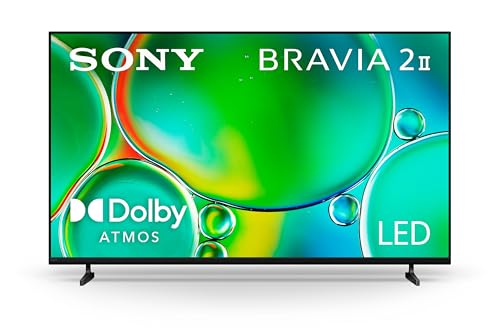
Short answer: the Sony 65-Inch BRAVIA 6 OLED (K-65A60) is the best overall Cyber Monday Sony TV deal for most households in 2026, because 65 inches is the size that actually fits a typical living room — roughly 8 to 10 feet from couch to screen — and OLED contrast holds up in both daytime and evening viewing. If your room is small or your budget is the deciding factor, the 43-Inch and 50-Inch BRAVIA 3 II LED sets (K-43XR30M2 and K-50XR30M2) put Sony’s picture processing and the Google TV with Gemini platform within reach at entry pricing. If you have a dedicated theater space with controlled lighting and want the largest OLED in this group, the 77-Inch BRAVIA XR8C OLED (K-77XR8C) is the premium answer. Everything below is organized around one idea: pick by your room and your seating distance first, then let panel type and price tier settle the rest. That order matters, because the wrong size at a great price is still the wrong TV.
Top 3 Picks
Best overall: Sony 65-Inch BRAVIA 6 OLED (K-65A60)
The 65-inch BRAVIA 6 OLED hits the intersection of size, panel quality and price tier that most buyers land on after measuring their room. Sixty-five inches is comfortable from about 8 feet and still looks dense and sharp from 6.5 feet, which covers the majority of living room seating arrangements. OLED gives you per-pixel light control, so dark scenes stay dark instead of glowing grey, and off-axis viewers on a sectional don’t lose color. It suits anyone replacing a 55-inch set who wants the upgrade to feel obvious.
Best budget: Sony 50-Inch BRAVIA 3 II LED (K-50XR30M2)
The 50-inch BRAVIA 3 II is the smallest size in this group that still reads as a primary television rather than a bedroom or kitchen set. At a 6 to 8 foot viewing distance it fills the field of view nicely, and the LED panel sidesteps any image-retention concerns in a room where a news ticker, score bug or game HUD sits on screen for hours. If you want to spend the least possible, the 43-inch version of the same series is the true entry point; the 50 is the better long-term buy for a main room.
Best premium: Sony 77-Inch BRAVIA XR8C OLED (K-77XR8C)
The 77-inch XR8C is for the buyer who has already solved the room: controlled light, a wall or stand wide enough, and seating 9 to 13 feet back. It combines a large OLED panel with Sony’s XR-class processing tier, which is the top of the naming ladder in this lineup. If your space can’t take a 77-inch panel or your room is bright all day, the 65-inch BRAVIA 6 OLED delivers most of the OLED benefit for a considerably lower outlay.
Quick Comparison
| Product | Best for | Key specs | Price tier |
|---|---|---|---|
| Sony 65-Inch BRAVIA 6 OLED (K-65A60) | Mid-size living rooms, 8–10 ft seating | 65-inch 4K OLED, HDR, Google TV with Gemini, self-emissive panel, wide viewing angles | Premium |
| Sony 43-Inch BRAVIA 3 II LED (K-43XR30M2) | Bedrooms, dorms, kitchens, offices | 43-inch 4K LED, HDR, Google TV with Gemini, entry-tier processing | Budget |
| Sony 75-Inch BRAVIA 3 II LED (K-75XR30M2) | Large family rooms, 9.5–12.5 ft seating | 75-inch 4K LED, HDR, Google TV with Gemini, step-up LED series | Mid-range |
| Sony 77-Inch BRAVIA XR8C OLED (K-77XR8C) | Dedicated home theater, controlled light | 77-inch 4K OLED, HDR, Google TV, XR-class processing tier | Premium |
| Sony 50-Inch BRAVIA 3 II LED (K-50XR30M2) | Apartments, main rooms at 6–8 ft | 50-inch 4K LED, HDR, Google TV with Gemini, step-up LED series | Budget |
| Sony 55-Inch BRAVIA 2 II LED (K-55S20M2) | First big-screen upgrade, 7–9 ft seating | 55-inch 4K LED, HDR, Google TV, entry series | Budget |
| Sony 48-Inch BRAVIA 6 OLED (K-48A60) | Small rooms that want OLED, 5–7 ft seating | 48-inch 4K OLED, HDR, Google TV with Gemini, self-emissive panel | Mid-range |
Tiers are relative to each other, not fixed dollar amounts — Cyber Monday pricing moves daily and varies by retailer and region, so treat the tier column as a ranking of how much of your budget each set asks for rather than a quote. The two things that don’t move with the discount are the physical dimensions and the viewing distances, which is why those get their own numbers further down.
How We Chose
This roundup is built from published product listings, manufacturer naming conventions and measurable category facts rather than from any physical evaluation of the units. The first filter was coverage: every set here is a real Sony Bravia model currently listed in the lineup named above, and nothing was added that isn’t on that list. The second filter was spread — the group has to answer different rooms, so it deliberately spans 43 to 77 inches and includes both LED and OLED panels rather than stacking one technology. The third filter was the tier ladder: BRAVIA 2 II as the entry series, BRAVIA 3 II as the step-up LED series, BRAVIA 6 as the OLED tier, and the XR8C as the flagship OLED tier. That ladder tells you where the money goes as you climb, which matters more than any single specification when you’re comparing across price bands. Finally, each pick had to have a defensible upgrade path — a clearly identified next step up in size, panel type or processing tier, and a clearly identified step down for anyone who decides the extra spend isn’t worth it. Prices are described only as general market tiers because Cyber Monday figures change constantly and vary by retailer.
1. Sony 65-Inch BRAVIA 6 OLED (K-65A60) – Best for mid-size living rooms
As an Amazon Associate we earn from qualifying purchases at no extra cost to you.

Sixty-five inches is the size most people should be shopping for, and it’s worth understanding why before you look at anything else. A 65-inch 16:9 panel measures roughly 56.7 inches wide and 31.9 inches tall. Sitting 8 feet away puts the screen at about 1.5 times its diagonal in distance, which is the classic comfortable mixed-use figure — close enough that 4K detail is visible, far enough that you’re not swiveling your head to follow action at the edges. Move to 6.5 feet and you’re at roughly 1.2 times the diagonal, which is cinematic and immersive but starts to feel large if you mainly watch news and sitcoms. Move to 11 feet and the set reads as a normal television with no sense of scale. That 6.5-to-11-foot window covers a huge share of real living rooms, which is exactly why 65 inches is the default recommendation.
The BRAVIA 6 tier is where OLED enters this lineup. OLED is self-emissive, meaning each pixel produces its own light and can switch fully off. In practice that shows up in three places: black bars around letterboxed movies stay genuinely black instead of glowing dark grey, starfields and night scenes keep their depth, and off-axis viewers — someone on the far end of a sectional, for instance — keep their color and contrast instead of washing out the way a lot of LED panels do at wide angles. If your seating is spread out rather than a single centered couch, that last point is worth more than any spec-sheet number.
Key specs
- Screen size: 65 inches diagonal, 16:9 aspect ratio
- Panel dimensions: approximately 56.7 in wide × 31.9 in tall (screen area only)
- Panel type: OLED, self-emissive with per-pixel light control
- Resolution: 4K (3840 × 2160)
- HDR: supported as listed
- Smart platform: Google TV with Gemini
- Recommended seating: 6.5 ft minimum for full 4K detail, 8–10 ft comfortable
- Typical class weight with stand: roughly 18–25 kg for a 65-inch OLED
- Typical class VESA pattern: 300 × 300 mm — confirm against the listing before buying a bracket
The trade-offs are real and worth naming. OLED’s weakness is sustained static content at high brightness: a permanent channel logo, a stock ticker, a score bug, or a game’s health bar that never moves. Modern sets run pixel-shifting and logo-dimming routines to manage this, and the risk is far lower than it was a decade ago, but the mitigation still depends on you — vary your content, don’t leave a paused menu up for hours, and let the set run its scheduled panel refresh. The second trade-off is peak brightness in a sun-drenched room. An OLED can look flatter than a bright LED panel when direct sun lands on the screen, though in a room with normal blinds and normal evening viewing the difference rarely matters.
Pros
- Per-pixel contrast that no LED backlight arrangement matches
- Wide viewing angles suit sectional seating and open-plan rooms
- 65 inches fits the largest share of real living room distances
- Google TV with Gemini keeps the interface consistent with the rest of the lineup
- Thin panel profile sits close to the wall on a mount
Cons
- Premium tier — the largest single line in the budget of any pick here
- Static, bright, persistent on-screen elements carry some image-retention risk
- Lower peak brightness than a comparably sized LED in a very bright room
- Heavier than a same-size LED, which affects wall-mount hardware choice
Against the nearest alternative: the 48-Inch BRAVIA 6 OLED (K-48A60) is the same OLED tier and the same platform in a much smaller, cheaper package. If your seating is 5 to 7 feet and the room is small, the 48 is the smarter buy and you give up nothing in panel technology. But if you’re at 8 feet or more, the 48 will feel undersized within a month — and that’s the single most common TV buying regret. The other direction is the 77-Inch BRAVIA XR8C, which adds a much larger OLED panel and a higher processing tier at a substantial premium. For most rooms, the 65 sits in the right place on both axes.
2. Sony 43-Inch BRAVIA 3 II LED (K-43XR30M2) – Best for bedrooms and small rooms

Forty-three inches is the entry point of this group and the right answer for a lot of rooms that never get considered in TV guides: a bedroom where you’re lying 5 to 6 feet from the screen, a kitchen where the TV runs while you cook, a home office, a dorm, or a guest room. The panel measures roughly 37.5 inches wide and 21.1 inches tall, so it fits on a dresser or a narrow console that a 55-inch set would overhang. At 1.5 times the diagonal — about 5.4 feet — it’s comfortable for mixed viewing, and even at 4 feet it stays coherent rather than overwhelming.
This is an LED set, and in a bedroom that’s a feature rather than a compromise. LED backlighting has no organic emitter to age unevenly, so a channel logo, a sleep-timer menu, or a game’s static interface left on screen carries no meaningful image-retention risk. You can fall asleep with the TV on and not think about it. Brightness is also less of a problem than people assume at this size — a 43-inch panel in a dim room doesn’t need to push much light to look punchy.
Key specs
- Screen size: 43 inches diagonal, 16:9 aspect ratio
- Panel dimensions: approximately 37.5 in wide × 21.1 in tall
- Panel type: LED with 4K resolution
- HDR: supported as listed
- Smart platform: Google TV with Gemini
- Recommended seating: about 4.5 ft minimum, 5.5–7 ft comfortable
- Typical class weight with stand: roughly 7–10 kg
- Typical class VESA pattern: 200 × 200 mm — confirm against the listing
The BRAVIA 3 II series sits one step above the entry series in Sony’s naming ladder, which is the reason to choose this over the 55-inch BRAVIA 2 II if you’re comparing them at similar prices. You’re getting a step-up processing tier and the Gemini-equipped Google TV interface in a smaller package. What you give up is pure screen area: a 43-inch panel is about 790 square inches, while a 55-inch panel is about 1,293 — roughly 64 percent more picture for the same wall.
Where this set genuinely wins is placement flexibility. Small panels tolerate bad positions. You can mount a 43-inch at eye level in a bedroom, angle it toward a bed, put it on a swing arm, or set it on a shelf without the room feeling dominated. A 65-inch set demands planning; a 43-inch set just goes somewhere. If you’re buying a second or third television rather than the main one, that flexibility is the whole value proposition.
Pros
- Budget tier — the lowest spend in this lineup
- No meaningful image-retention risk from static content
- Light enough for almost any wall or stand, including articulating mounts
- Google TV with Gemini rather than a stripped-down smart layer
- Fits rooms where a larger set would physically crowd the space
Cons
- Too small to serve as a main living room TV beyond about 7 feet
- LED contrast can’t match the OLED tiers in dark-scene detail
- Narrower effective viewing window for wide seating layouts
- Small panels make low-quality streaming sources look soft when you sit close
Against the nearest alternative: the 50-Inch BRAVIA 3 II (K-50XR30M2) is the same series, the same platform, and a step up in size for a modest premium — it’s the better pick if the room can take it. The 48-Inch BRAVIA 6 OLED is the other direction: you’d pay a mid-range tier price for a slightly larger screen and a genuinely better panel. Choose the 43 if the room is genuinely small or the budget is genuinely tight; choose one of the others if neither of those is true.
3. Sony 75-Inch BRAVIA 3 II LED (K-75XR30M2) – Best for large rooms on an LED budget

Seventy-five inches is where “big TV” stops being a figure of speech. The panel is roughly 65.4 inches wide and 36.8 inches tall, with about 2,404 square inches of screen area — more than three times the area of a 43-inch set, even though the diagonal number is only about 1.7 times larger. That gap between how the diagonal number reads and how much picture you actually get is the most misunderstood thing in TV shopping. If you’re moving up from a 55-inch set, a 75 gives you roughly 86 percent more screen area.
The distance math follows: 1.5 times the diagonal puts you at about 9.4 feet, and 2 times puts you at 12.5 feet. So this set wants a room with at least 9.5 feet of seating distance, and it’s at its best between 10 and 12 feet. Below about 9 feet, a 75-inch LED can start to feel like sitting too close in a cinema — fine for a movie night, tiring for everyday viewing. Above 13 feet, you’ll wish you’d gone bigger, which is the other classic regret.
Physically, plan for a wall or stand that can take 65-plus inches of width, and check the stand’s footprint separately — the panel width and the stand width are not the same number, and a lot of consoles are narrower than the TV that sits on them. Weight for this class typically lands somewhere in the 25–35 kg range with the stand, which is well past what a single articulating mount should carry without checking the rating. For wall mounting, you want a bracket rated comfortably above the set’s weight and hardware driven into studs or a proper masonry fixing, not drywall anchors.
Key specs
- Screen size: 75 inches diagonal, 16:9 aspect ratio
- Panel dimensions: approximately 65.4 in wide × 36.8 in tall
- Screen area: approximately 2,404 sq in — roughly 3× a 43-inch set
- Panel type: LED with 4K resolution
- HDR: supported as listed
- Smart platform: Google TV with Gemini
- Recommended seating: 9.5 ft minimum, 10–12 ft comfortable
- Typical class weight with stand: roughly 25–35 kg
- Typical class VESA pattern: 300 × 300 mm or 400 × 400 mm — confirm against the listing
The case for LED at this size is brightness and price. A 75-inch LED in the step-up BRAVIA 3 II tier costs considerably less than any OLED at a comparable size, and it will push more light, which matters in a family room with big windows and daytime sports or kids’ programming running constantly. Static score bugs, channel logos and game HUDs are also a non-issue on LED, so you can leave a game paused or a channel on without a second thought. For a busy, bright, multi-use room, those two advantages often outweigh OLED’s contrast edge.
The case against is contrast. In a dark room, a 75-inch LED will show some backlight bloom around bright objects on black backgrounds, and black levels will lift at the edges. How much you notice depends almost entirely on your room. If your main viewing happens in the evening with lamps on, the difference is subtle. If you watch in a fully dark room with curtains drawn, it’s obvious.
Pros
- Three times the screen area of a 43-inch set for a mid-range tier price
- Higher peak brightness than OLED — strong for daytime, bright-room viewing
- No image-retention risk from static logos, tickers or game interfaces
- Step-up BRAVIA 3 II processing tier with Google TV and Gemini
- Best screen-area-per-tier value in this lineup
Cons
- Needs at least 9.5 feet of seating distance to work properly
- Contrast and black levels trail the OLED models in dark rooms
- Heavy enough that wall mounting requires proper planning and hardware
- 65.4 inches of width rules out many narrow walls and consoles
Against the nearest alternative: the 77-Inch BRAVIA XR8C OLED is only two inches larger on paper but a completely different product — a flagship OLED tier with per-pixel contrast at a premium price. If your room is dark and your budget is flexible, that’s the upgrade. If your room is bright, the 75-inch LED is arguably the better set for the actual conditions, and it costs far less. Against the 65-inch BRAVIA 6 OLED, the trade is size and brightness for contrast and viewing angles — a genuine decision, not an obvious one.
4. Sony 77-Inch BRAVIA XR8C OLED (K-77XR8C) – Best for a dedicated home theater

Seventy-seven inches of OLED is a specific purchase for a specific room. The panel measures roughly 67.1 inches wide and 37.8 inches tall, with about 2,533 square inches of screen area. At 1.5 times the diagonal you’re at roughly 9.6 feet; at 2 times you’re at 12.8 feet. The sweet spot is 10 to 13 feet, which describes a room that was set up around the screen rather than a screen squeezed into a room.
This is the top of the naming ladder in this lineup, with XR-class processing sitting above the BRAVIA 6 OLED tier. In practical terms, that’s the tier where Sony’s picture processing does the most work: upscaling lower-resolution sources, tone-mapping HDR content, and managing motion. It’s also the largest OLED here, which matters because OLED’s advantages — perfect black, per-pixel light control, wide viewing angles — scale up beautifully. A large OLED in a dark room is the closest thing to the cinema experience you can put in a house without a projector.
Key specs
- Screen size: 77 inches diagonal, 16:9 aspect ratio
- Panel dimensions: approximately 67.1 in wide × 37.8 in tall
- Screen area: approximately 2,533 sq in — the largest in this group
- Panel type: OLED, self-emissive with per-pixel light control
- Resolution: 4K (3840 × 2160)
- HDR: supported as listed
- Smart platform: Google TV
- Processing tier: XR-class, top of this lineup’s ladder
- Recommended seating: 9.5 ft minimum, 10–13 ft comfortable
- Typical class weight with stand: roughly 28–38 kg
- Typical class VESA pattern: 400 × 400 mm — confirm against the listing
Two ownership realities deserve attention at this size and price. First, light control. OLED’s contrast advantage evaporates under direct sunlight or strong window reflections, because the panel has to lift black levels to compete with ambient light. A 77-inch OLED in a room with unshaded south-facing windows on a Saturday afternoon will look worse than a mid-tier LED would. If you can’t control the light, this isn’t the right purchase, no matter how good the discount is. Second, weight and mounting. Sets in this class typically run well into the 30 kg range with the stand, so a wall mount needs a bracket with real headroom and hardware fixed into structure. This is not a set to hang on a swing arm.
Image retention remains the one ongoing maintenance consideration. At this size, people tend to watch more long-form content and fewer static interfaces, which is favorable. Still, if your household leaves a 24-hour news channel running for six hours a day with a fixed logo in the corner, that’s the usage pattern OLED handles least gracefully. Vary content, enable the panel’s protective routines, and don’t leave static menus up for extended periods.
Pros
- Largest OLED in this lineup, with the highest processing tier
- Per-pixel contrast is unmatched by any LED set here
- Wide viewing angles suit a dedicated theater with multiple rows or spread seating
- Excellent for film, prestige series and dark-room gaming
- Premium tier means the full Google TV feature set, not a stripped version
Cons
- Premium tier — the highest spend in this group alongside the 65-inch BRAVIA 6
- Requires genuine light control to justify the panel technology
- Heavy; wall mounting demands proper structural planning
- Some image-retention risk with persistent static content at high brightness
Against the nearest alternative: the 75-Inch BRAVIA 3 II LED (K-75XR30M2) is almost the same physical size for a mid-range tier price, and it’s brighter. If your room has uncontrolled light or you watch mostly daytime sports and broadcast TV, the LED set is the more sensible purchase and you save the premium tier entirely. The 77-inch XR8C justifies itself only when the room is dark, the seating is 10 feet or more, and you’re watching a lot of high-quality source material that shows off what OLED can do.
5. Sony 50-Inch BRAVIA 3 II LED (K-50XR30M2) – Best for apartments and secondary rooms
Fifty inches is the most underrated size in TV shopping. The panel is roughly 43.6 inches wide and 24.5 inches tall — narrow enough for a small apartment wall, deep enough in picture to feel like a real television rather than a placeholder. At 1.5 times the diagonal you’re at about 6.3 feet; at 2 times you’re at 8.3 feet. That’s exactly the seating distance in a typical one-bedroom apartment living room, where the couch is against the opposite wall and there’s no room to back up further.
This is the same BRAVIA 3 II series as the 43-inch and 75-inch models, so you get the step-up LED processing tier and Google TV with Gemini rather than the entry-level smart layer. Screen area comes to about 1,068 square inches, roughly 35 percent more picture than the 43-inch version and about 17 percent less than the 55-inch. That middle position is the point: it’s meaningfully bigger than the smallest set without demanding the wall space or seating distance of a 55.
Key specs
- Screen size: 50 inches diagonal, 16:9 aspect ratio
- Panel dimensions: approximately 43.6 in wide × 24.5 in tall
- Screen area: approximately 1,068 sq in
- Panel type: LED with 4K resolution
- HDR: supported as listed
- Smart platform: Google TV with Gemini
- Recommended seating: about 5 ft minimum, 6.5–8 ft comfortable
- Typical class weight with stand: roughly 11–15 kg
- Typical class VESA pattern: 200 × 200 mm — confirm against the listing
The practical advantages of a 50-inch set in an apartment go beyond the picture. It fits on furniture that already exists — most media consoles are 45 to 55 inches wide, so a 43.6-inch panel sits comfortably within the footprint with room for the stand. It weighs enough to feel solid but little enough that a single person can lift it onto a stand without help. It’s also small enough that a modest soundbar, or even decent built-in speakers, can carry the audio without the mismatch you get when a 75-inch panel is paired with a compact bar.
Where it falls short is immersion. A 50-inch LED at 8 feet is a perfectly good television and not a home cinema. If you mainly watch series and sports, that’s fine. If you’re chasing the feeling of a big screen for films, you’ll want to sit closer — around 5 to 6 feet — or step up in size. Sitting closer helps a lot at this size, and 50-inch 4K panels hold up well at 5 feet because the pixel density is high.
Pros
- Budget tier with step-up BRAVIA 3 II processing
- Fits standard media consoles and small apartment walls
- Manageable weight — easy to move, easy to mount
- No image-retention risk; safe for always-on background viewing
- Google TV with Gemini at an entry price
Cons
- Not immersive beyond about 8 feet of seating distance
- LED contrast can’t match the OLED tiers in dark scenes
- Limited benefit from 4K resolution if you sit much beyond 8 feet
- Small enough that upgrading later is likely, which means buying twice
Against the nearest alternative: the 43-Inch BRAVIA 3 II (K-43XR30M2) is the same series and cheaper, and it’s the right call for a bedroom or a genuinely tiny space. The 50 is the better pick for a main room because it clears the threshold where a TV stops feeling like a secondary screen. Against the 55-Inch BRAVIA 2 II (K-55S20M2), the trade is interesting: the 55 gives you more picture and a larger diagonal, while the 50 gives you the step-up BRAVIA 3 II series. If the room can take a 55 and you value screen size over processing tier, the 55 is the better buy. If not, the 50 wins on fit.
6. Sony 55-Inch BRAVIA 2 II LED (K-55S20M2) – Best for a first big-screen upgrade

Fifty-five inches has been the volume-selling TV size for years, and the reason is straightforward: it’s the largest panel that fits comfortably in an ordinary living room at an ordinary seating distance without any planning. The panel measures roughly 47.9 inches wide and 27 inches tall, with about 1,293 square inches of screen area. At 1.5 times the diagonal you’re at roughly 6.9 feet; at 2 times you’re at 9.2 feet. That covers a typical apartment or small-house living room where the couch is 7 to 9 feet from the wall.
This is the entry series of the lineup — the BRAVIA 2 II — which is the main thing to understand about it. You’re getting the same Google TV platform and the same 4K resolution, but a lower processing tier than the BRAVIA 3 II and BRAVIA 6 models. In practice that means less sophisticated upscaling of lower-resolution content, less aggressive HDR tone mapping, and a generally simpler picture pipeline. For streaming native 4K content from major services, the gap is small. For cable, over-the-air broadcasts and older DVDs, a step-up tier will look noticeably better.
Key specs
- Screen size: 55 inches diagonal, 16:9 aspect ratio
- Panel dimensions: approximately 47.9 in wide × 27.0 in tall
- Screen area: approximately 1,293 sq in
- Panel type: LED with 4K resolution
- HDR: supported as listed
- Smart platform: Google TV
- Series position: entry tier of this lineup
- Recommended seating: about 5.5 ft minimum, 7–9 ft comfortable
- Typical class weight with stand: roughly 12–17 kg
- Typical class VESA pattern: 200 × 200 mm or 300 × 300 mm — confirm against the listing
Where this set makes sense is the “first good TV” scenario: a first apartment, a first house, a replacement for a decade-old 1080p set, or a second room that needs a real television. In those cases the jump from whatever you have now to a 55-inch 4K LED is enormous, and the incremental gain from a higher processing tier is comparatively small. You’d be paying for refinement you might not notice.
Where it makes less sense is if you’re upgrading from a recent mid-tier 55. In that case the picture difference will be modest and the money would be better spent going up in size — to a 65-inch BRAVIA 6 OLED or the 75-inch BRAVIA 3 II — rather than sideways within the same size class. That’s the single most common way people waste a Cyber Monday budget: replacing like with like.
Pros
- Budget tier at the most popular mainstream size
- Fits ordinary living rooms without any layout planning
- Google TV platform, so the interface matches the rest of the lineup
- No image-retention concerns; safe for all-day background viewing
- Light and easy to place on existing furniture
Cons
- Entry series — the lowest processing tier in this group
- Lower-resolution sources won’t look as clean as on step-up
Affiliate disclosure. As an Amazon Associate we earn from qualifying purchases at no extra cost to you. Prices accurate as of the date shown.Best Cyber Monday Sony TV Deals: OLED &…Check price on Amazon