Key takeaways
- Shared tablet kiosk: Best for a fixed workplace. It is inexpensive and easy to supervise, but the tablet becomes a single point of failure.
- Personal mobile app: Best for field workers and employees moving between sites. It requires battery, data service, and clear privacy policies.
- Web clock: Suitable for office staff who work at assigned computers. It is less useful when employees move around or share devices.
- PIN or QR code: Fast for hourly teams, but shared credentials can produce inaccurate records. Use individual accounts and audit unusual patterns.
- GPS or geofencing: Helpful for confirming a clock-in location, not a substitute for reviewing timesheets or explaining privacy practices.
- Biometric or facial recognition: Consider only after checking local privacy and employment requirements. It may add compliance obligations that a small employer does not want.
Best Employee Time Clock Systems for Small Business
QuickBooks Time is the best overall choice for a small business already using QuickBooks Payroll, while Homebase is usually the best low-cost option for hourly teams, Deputy is stronger for complex scheduling, and Connecteam is a good fit for mobile or field-based workforces.
For teams under 50 employees, the right time clock should do more than record start and finish times. Look for payroll compatibility, dependable mobile access, a clock-in method employees will actually use, overtime controls, break tracking, and pricing that does not make a small workforce unnecessarily expensive.
Our top picks


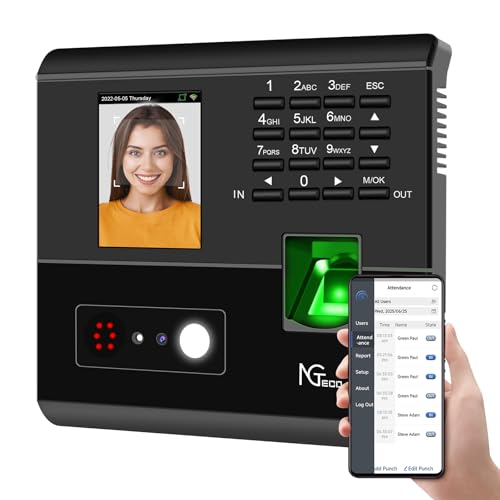
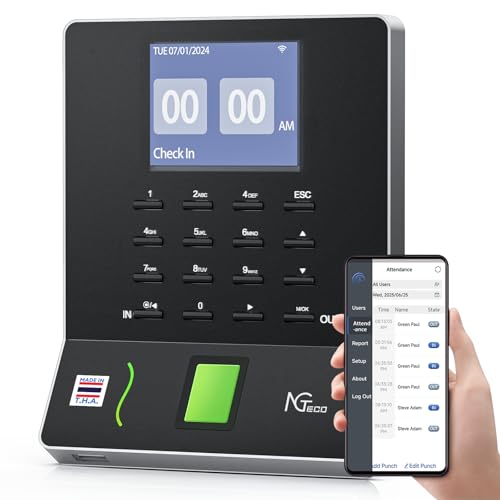
As an Amazon Associate we earn from qualifying purchases at no extra cost to you. Ratings are shown as listed on Amazon.
Best employee time clock systems at a glance
| System | Best for | Typical starting price range | Clock-in methods | Payroll and accounting connections |
|---|---|---|---|---|
| QuickBooks Time | QuickBooks Payroll users and mobile crews | About $20–$100 per month, plus user charges on some plans | Mobile app, web, kiosk, geofencing | QuickBooks Payroll, QuickBooks Online, selected payroll partners |
| Homebase | Restaurants, retail, and one-location hourly teams | Free basic tier at one location; paid plans commonly about $20–$100 per location monthly | Tablet kiosk, PIN, mobile app, web | Popular payroll providers, including Gusto, ADP, and QuickBooks integrations |
| Deputy | Shift scheduling, compliance, and multi-location operations | About $4–$8 per user monthly for core plans, with add-ons possible | Mobile app, web, kiosk, facial-recognition options in supported deployments | Many payroll, HR, and accounting platforms |
| Connecteam | Field service, construction, delivery, and distributed teams | Free limited plan; paid hubs often begin around $30–$100 monthly, depending on billing and features | Mobile app, kiosk, GPS, geofencing | Payroll exports and connections through supported payroll services |
| When I Work | Small businesses that need scheduling plus attendance | Often about $2–$8 per user monthly, depending on features and plan | Mobile app, web, shared kiosk, location controls | Payroll exports and integrations with selected payroll systems |
Prices are broad market ranges rather than quotes. Vendors frequently change packaging, charge by location or active user, and bill payroll, scheduling, or advanced geofencing separately.
Our picks by small-business situation
| Your situation | Best starting choice | Why | Main trade-off |
|---|---|---|---|
| Fewer than 10 employees and one workplace | Homebase | Low entry cost, shared tablet clock-in, schedules, and break tracking | Advanced reporting and multi-location controls may require a paid plan |
| Already paying for QuickBooks Payroll | QuickBooks Time | Timesheets flow into the same payroll ecosystem with less re-entry | Can cost more than a basic standalone clock |
| Employees work at customer sites | Connecteam | GPS-aware mobile clocking, job assignments, and field communication | Employees need compatible smartphones and reliable data access |
| Several locations or complicated shifts | Deputy | Strong scheduling, attendance rules, and manager oversight | Feature-rich plans can exceed the budget of a very small shop |
| Scheduling is the main problem | When I Work | Simple shift planning combined with attendance tracking | Payroll depth may depend on the integration or export workflow |
Detailed reviews
QuickBooks Time: best for payroll-connected businesses
QuickBooks Time makes the most sense when your business already uses QuickBooks Online or QuickBooks Payroll. Employees can clock in through the mobile app, browser, or a shared device, and administrators can use location features to confirm that a worker is at an approved job site. GPS and geofencing are particularly useful for contractors, maintenance companies, and installation crews.
The key advantage is reducing duplicate work. Approved hours can move into payroll rather than being copied from a spreadsheet. Managers should still review exceptions, because location data does not prove that every recorded hour was worked and mobile permissions can be inconsistent.
Choose it if payroll integration is worth paying for. Choose a simpler system if you only need a tablet, PINs, and weekly totals.
Homebase: best value for a single hourly location
Homebase is designed around restaurants, salons, retailers, and other businesses where employees clock in at a fixed workplace. A tablet can serve as the shared kiosk, while workers may also use a mobile app where the employer permits it. PIN-based clocking is easy to understand, and scheduling, breaks, availability, and team messaging are included in the wider product.
Its free entry tier can be attractive for a single location with basic requirements, but check the limits before committing. Payroll integrations, labor-cost reporting, multiple locations, and more advanced controls may require a paid plan. A shared kiosk also needs a stable stand, charging cable, and a location where employees can reach it without creating a queue.
Deputy: best for scheduling complexity and multiple sites
Deputy is a stronger choice when the time clock is only one part of a larger workforce-management problem. It supports shift planning, availability, attendance, timesheets, labor rules, and manager approvals. That makes it useful for hospitality, healthcare-adjacent operations, retail groups, and businesses with changing coverage requirements.
Deputy can be more system than a very small business needs. Before buying, confirm whether your preferred payroll connection is direct, whether it requires an additional subscription, and whether the rules you need—such as rounding, breaks, or overtime alerts—are included in your plan.
Connecteam: best for mobile and field teams
Connecteam is aimed at employees who spend much of their day away from a desk. Workers can clock in from a phone, associate time with a job or customer, and use location controls when the employer enables them. Scheduling, forms, checklists, chat, and task management can make it more useful than a standalone time clock for operational teams.
The ownership issue is device dependence. A dead phone, disabled location permission, weak cellular signal, or forgotten password can create missing punches. Establish a correction process and a backup method before relying on mobile-only clocking.
When I Work: best when shift planning comes first
When I Work combines employee scheduling with attendance tools and is well suited to small teams that need to fill shifts, manage swaps, and see who is late or absent. It can be easier to adopt than a broader HR platform, especially for managers who mainly need a shared schedule and timesheet workflow.
Review the payroll export or integration before signing up. A system that requires manual CSV cleanup every pay period may erase the savings from its low subscription price.
What clock-in method should you choose?
- Shared tablet kiosk: Best for a fixed workplace. It is inexpensive and easy to supervise, but the tablet becomes a single point of failure.
- Personal mobile app: Best for field workers and employees moving between sites. It requires battery, data service, and clear privacy policies.
- Web clock: Suitable for office staff who work at assigned computers. It is less useful when employees move around or share devices.
- PIN or QR code: Fast for hourly teams, but shared credentials can produce inaccurate records. Use individual accounts and audit unusual patterns.
- GPS or geofencing: Helpful for confirming a clock-in location, not a substitute for reviewing timesheets or explaining privacy practices.
- Biometric or facial recognition: Consider only after checking local privacy and employment requirements. It may add compliance obligations that a small employer does not want.
Worked cost comparison for a 20-person business
Suppose a 20-person team is comparing a location-based plan priced at $6 per user each month with a location plan priced at $40 per month. The first costs 20 × $6 = $120 monthly, or $1,440 annually. The second costs $40 × 12 = $480 annually before any payroll add-ons. The per-user plan is therefore $960 more per year in this example.
However, the cheaper plan is not automatically better. If it lacks payroll integration and a manager spends two hours each pay period correcting exports, the labor cost may exceed the subscription difference. Ask for the total annual price including payroll connections, onboarding, SMS fees, extra locations, and administrative users.
Payroll integration checklist
- Does the system connect directly to your payroll provider or only export a spreadsheet?
- Can it map regular, overtime, holiday, and paid-break hours separately?
- Are employee IDs, departments, jobs, and pay rates transferred correctly?
- Can managers lock an approved pay period so old punches cannot change silently?
- Does the integration cost extra, and is support included?
Setup steps that prevent inaccurate timesheets
- Define the rules first. Decide how breaks, missed punches, early clock-ins, rounding, travel time, and overtime will be handled.
- Create individual accounts. Avoid shared logins, even on a common kiosk, so corrections have an audit trail.
- Run one shadow pay period. Compare the system with your existing process before making it the sole payroll record.
- Test every clock-in route. Try the kiosk, mobile app, offline or weak-signal situation, manager correction, and payroll export.
- Set an approval deadline. Give employees a cutoff to report errors, then require a manager approval before payroll.
- Review exceptions weekly. Look for repeated edits, unusually long shifts, missed breaks, and clock-ins outside expected locations.
Bottom line
Choose Homebase for a simple fixed-location hourly team, QuickBooks Time for QuickBooks-centered payroll, Deputy for complex schedules and multiple sites, Connecteam for mobile work, and When I Work when scheduling is the priority. For any system, calculate the full annual cost and verify the payroll workflow before focusing on small feature differences. The best employee time clock systems for small business are the ones employees can use consistently and managers can approve without rebuilding the timesheet by hand.