Key takeaways
- iPhone 17 vs 17 Pro vs 17 Pro Max vs Air: a decision framework covering size, cameras, battery, price and accessories, plus what to verify on Apple's spec page.
The simplest way to choose between these four phones is to decide what you will actually use. The standard model is the baseline for everyday use. The Pro models are meant for people who want the most camera and performance headroom. The Pro Max adds the largest screen and, typically, the longest battery run. The Air name suggests a slim and light design with trade-offs to verify. Everything below is a decision framework, so you can fill in the exact numbers from Apple’s current spec page.
This guide is based on published specifications, manufacturer documentation and buyer reviews. Because specifications, prices and promotions change, this page does not quote exact figures from memory. Where a detail matters, it tells you what to look up. Nothing here is financial advice.
Quick comparison framework
| Question | Standard | Pro | Pro Max | Air |
|---|---|---|---|---|
| Position in lineup | Baseline model | Higher tier above baseline | Largest and typically top-priced | Design-led model; check where it sits |
| Who it tends to suit | Most everyday users | Camera and performance enthusiasts | People who want the biggest screen and battery | People who value light weight and slim design |
| Look up on Apple’s page | Screen size, cameras, storage options | Camera system, zoom, display features | Screen size, battery video hours, weight | Thickness, weight, battery hours, camera count |
| Main trade-off | Fewer premium features | Higher price | Size, weight and price | Possible compromises in battery or cameras |
The lineup labels above are general expectations based on how Apple has positioned Pro, Pro Max and standard models in the past. Confirm each point on the current specification page before you rely on it.
Start with size and weight
Physical size is the one thing you cannot ignore or fix later. A larger screen is better for video, maps and reading, but it is harder to use one-handed and heavier in a pocket. A smaller or thinner phone is easier to carry but may have less room for battery and cameras.
Visit a store if you can, and hold each size for a few minutes. Try reaching the top of the screen with your thumb, slide it into your usual pocket or bag, and think about whether you carry a case, which adds bulk. Then check Apple’s page for the stated dimensions and weight so you can compare numbers. Remember that listed weight excludes any case.
Cameras: decide what you actually shoot
Camera systems are where models usually differ most. A step up the lineup commonly adds extra lenses or longer zoom reach, along with better low-light or video features. The question is whether you take photos that need them.
- If you mostly capture family photos, food and travel snapshots, the baseline camera is likely enough.
- If you photograph wildlife, sports, concerts or distant subjects, zoom reach matters, so look at the telephoto specs.
- If you make video for social media or work, look at video formats, stabilization and microphone features on the spec page.
- If you take portraits or low-light photos often, compare the main sensor specs and night features.
Specifications are only part of the story. Image quality depends on processing, so independent reviews with sample photos help, but your own eyes in a store are better.
Screen and display features
Look at screen size, brightness figures, refresh rate and any special display features Apple lists. Higher-tier models in past generations have offered smoother refresh rates and brighter peak outdoor brightness than the baseline, but whether that applies here must be checked on the current page.
A smoother display is noticeable when scrolling and gaming, while higher brightness helps in direct sun. If you mainly use your phone indoors for messages and music, these benefits may be less important than price or size.
Battery and charging
Apple states video playback hours for each model, which is useful for comparing models but is best-case. Real battery life depends on screen brightness, mobile signal, background apps and the age of the battery. Larger phones tend to have larger batteries, but a more powerful chip or brighter screen can use more of it.
Check the charging speeds and charger type listed, and whether the box includes a charger, since many recent phones ship with a cable only. If you plan to use wireless charging, see our guide to 3 in 1 wireless charging stations for the points that matter when pairing a phone with a watch and earbuds.
Performance and how long you will keep it
For everyday tasks such as messaging, browsing, video and photos, any current iPhone should feel quick. Higher models may add more memory or a more capable chip, which matters most for demanding games, heavy photo or video editing and long-term software support.
The practical angle is longevity. If you tend to keep a phone for four or five years, paying more for a model with extra headroom can make sense. If you upgrade every two years, the baseline may be the better value. Apple publishes its software update policy for supported models, so look for it rather than assuming.
Price tiers and total cost
This page deliberately avoids quoting exact prices because they vary by storage size, carrier deals, trade-ins and region. Check Apple’s price page, your carrier and reputable retailers. The table below shows how to compare the full cost of ownership with assumptions you can replace.
| Cost item | Example for Phone A (lower tier) | Example for Phone B (higher tier) |
|---|---|---|
| Purchase price (assumed) | 800 dollars | 1,200 dollars |
| Trade-in value (assumed) | 150 dollars | 150 dollars |
| Case and screen protector (assumed) | 60 dollars | 60 dollars |
| Net cost | 710 dollars | 1,110 dollars |
| Years you plan to keep it | 4 | 4 |
| Cost per year | About 178 dollars | About 278 dollars |
In this illustration the higher tier costs about 100 dollars more per year. Whether the larger screen, better zoom or longer battery justify that depends on how often you use them. Replace these assumed figures with real offers before deciding.
Accessories are model-specific
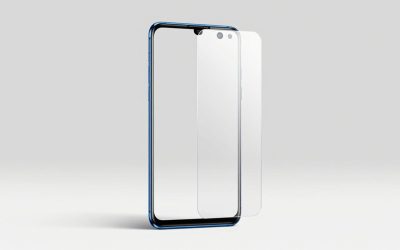
Cases, screen protectors and holders are cut for exact dimensions and camera layouts, so you generally cannot reuse older accessories. Verify the exact model name on the listing before buying. To get a feel for options, our guides to screen protectors for iPhone 17 and the iPhone 17 Pro wallet case with kickstand explain what to look for in fit, clarity and protection.
If a thinner phone attracts you, budget for a protective case, because the added grip and shock protection counters some of the weight and thinness benefit. If you buy a Max-sized model, check whether your favorite mount, holder or bag pocket still fits.
Decision table by user type
| If you are | Lean toward | Verify on Apple’s page |
|---|---|---|
| A budget-minded everyday user | Standard | Storage tiers, display, camera count |
| A frequent photographer or video creator | Pro | Zoom reach, video formats, storage |
| A heavy streamer or reader who wants the biggest screen | Pro Max | Weight, battery hours, price |
| Someone who wants a thin, light phone | Air | Battery hours, camera set, thickness and weight |
| A shopper keeping the phone four years or more | Standard or Pro depending on budget | Software support and storage |
Checklist before you buy
- Hold each size in a store if you can.
- List the three features you will use daily and mark them on Apple’s spec page.
- Decide on storage first, since it cannot be expanded.
- Compare carrier deals against buying unlocked, and check trade-in terms.
- Budget for a case and screen protector designed for the exact model.
- Read independent reviews published after release for real-world battery and camera results.
Buying channels and trade-ins
You can buy directly from the manufacturer, from a carrier or from a retailer, and each channel has its own terms. Carrier deals often spread the cost over monthly credits that end if you cancel or switch, while buying unlocked gives freedom to change carriers. Trade-in values depend on the condition of your old phone and change over time, so get a quote from more than one source.
Check the return window, the warranty terms and what accidental damage coverage costs. Some buyers prefer extended coverage on a large, expensive model, while others self-insure and set aside the money. Neither choice is right for everybody, and the decision depends on how hard you are on phones and how costly a repair would be.
Using this framework after release
Once you have the specification pages in front of you, fill in a simple scorecard. List the five things you care about most, such as screen size, camera zoom, battery hours, weight and price. Score each model from one to five on each item, using the maker’s numbers and independent reviews. Multiply by how important each item is to you, and the best option usually becomes obvious.
If two models are within a few points, choose the cheaper one or the one with more storage. Spend the savings on a good case and a charger. That approach avoids paying for features that are impressive on a spec sheet but irrelevant to your day.
Frequently asked questions
Which of the four is the best choice for most people?
For many buyers the standard model is the sensible starting point, because it covers everyday phone use at the lowest price of the group. Step up only if you can name a feature you will use, such as a longer zoom camera, a bigger screen or a thinner design. Compare the current specifications on Apple’s own page before deciding, because details differ by generation and storage option.
Is the Pro Max worth it just for battery life?
A larger phone often has more room for a bigger battery, and buyers often report longer use between charges, but battery life depends on screen settings, signal quality, apps and age of the battery. Check Apple’s stated video playback hours for each model, treat them as best-case estimates, and weigh the extra size and weight, since a phone that stays in your pocket or bag is of no use.
Will the Air be less durable or have worse battery life because it is thin?
Thin designs make trade-offs, typically in battery size and sometimes in camera hardware, but the actual impact depends on the specific model. Do not guess. Compare Apple’s stated battery hours and camera specs on its spec page, read independent coverage after release, and consider a case for protection. Durability claims should always be backed by documented ratings, not assumptions.
Do accessories from older iPhones fit these models?
Not necessarily. Cases and screen protectors are cut for exact dimensions and camera layout, so they are model-specific, and even models in the same generation often differ in size and button or camera placement. Chargers and cables depend on the port and charging standard listed on Apple’s page. Always check the product listing for the exact model name before buying accessories.
Should I buy more storage or a higher model?
Storage cannot be changed later, while a higher model mainly changes hardware you may or may not use. If you shoot lots of photos and video, run out of space easily, or keep many offline files, extra storage can matter more than a camera upgrade. Cloud storage can reduce the need but adds a monthly cost, so compare both over the time you plan to keep the phone.