
Key takeaways
- Space: VR needs room-scale area. Measure the play space and cable routing.
- Cable length: A wired headset needs a long cable run or a mounted extension. Follow the maker’s guidance.
- Power supply: Confirm that the wattage meets the GPU maker’s recommendation.
- Ventilation: Place the PC where it can draw cool air. Avoid enclosed cabinets.
- Dust: Clean filters periodically. Switch off and unplug the PC before cleaning inside.
- Comfort and safety: Take breaks from VR, clear the play area, and follow the headset maker’s age and health guidance. Stop if you feel unwell.
For most buyers, a mid-range gaming desktop with a current-generation graphics card in the GeForce RTX 5060 Ti or RTX 5070 class, a recent six-to-eight-core processor, and at least 16 GB of memory handles PC VR comfortably, while a premium tower with an RTX 5080 or similar suits high-resolution headsets and demanding simulators. Standalone-capable headsets such as the Meta Quest 3 only need a PC when you stream games over Link or Air Link, so their requirements are lower than those of a wired high-end headset.
Our top picks



As an Amazon Associate we earn from qualifying purchases at no extra cost to you.
Gaming PC Tiers for VR at a Glance
| Tier | Typical GPU class | Best for | Limits |
|---|---|---|---|
| Budget | RTX 5050 or RTX 4060 class | Quest 3 streaming, lighter VR titles, older games | Lower render resolution in demanding games |
| Mid-range | RTX 5060 Ti or RTX 5070 class | Most PC VR games at comfortable settings | High-res headsets and sim racing may need compromises |
| Premium | RTX 5080 class | High-resolution headsets, flight sims, heavy mods | Heat, noise, and power use |
| Top tier | RTX 5090 class | Highest settings and future headsets | Size, power, and cost |
GPU lines are replaced regularly. Equivalent cards from AMD’s Radeon line also work for many headsets, but support can vary by title and headset, so check the headset maker’s compatibility page.
Prebuilt Lines Commonly Considered
| Line | Best for | Notes |
|---|---|---|
| Alienware Aurora | Buyers who want a polished prebuilt with support | Configurable with several GPU options; check size and cooling |
| HP Omen towers | Mid-range builds with common parts | Compare configurations; some lines use proprietary parts |
| Lenovo Legion Tower | Balanced configurations | Standard-style layout in some models; read the spec sheet |
| Corsair Vengeance | Buyers who want upgrade-friendly parts | Uses common components; check case airflow |
| NZXT Player series | Clean builds with standard parts | Compare cooling and port layout |
| MSI Aegis and MAG series | Mid-range to premium towers | Confirm power supply wattage |
Prebuilt lines change specifications by retailer configuration. Always compare the actual GPU, CPU, memory, storage, and power supply listed for the exact unit rather than the series name.
What VR Needs From a PC
Graphics card
VR renders two views at a high refresh rate, so the GPU is the most important component. Makers publish minimum and recommended specs. For example, Valve lists a recommended graphics card class for the Index, and Meta lists compatible GPUs for Link on the Quest line. These minimums are modest, but reviewers note that newer games and higher render resolutions benefit from more headroom. Choose a card with at least 8 GB of video memory, and more for high-resolution headsets.
Processor
A recent six-core or eight-core processor is usually adequate. VR games with many physics objects or flight simulators may be more CPU-hungry. Avoid very old processors paired with strong GPUs.
Memory and storage
16 GB of RAM is the common minimum for VR gaming, and 32 GB gives breathing room for modded games and multitasking. An SSD reduces load times and helps with large VR titles. Many VR games are large, so choose at least 1 TB of storage.
Ports and connectivity
Wired headsets may need DisplayPort or HDMI plus USB ports. Quest headsets over Link need a USB-C port that meets Meta’s cable requirements, or a good Wi-Fi 6 or Wi-Fi 6E router for wireless streaming. The Valve Index uses DisplayPort and USB. Check that the PC’s ports match your headset, and consider a PCIe expansion card if needed.
Cooling, power, and noise
VR sessions run the GPU hard for long periods. A case with good airflow and a power supply that meets the graphics card maker’s recommendation helps. Follow the manufacturer’s manual and make sure the PC sits in a ventilated space. Do not block vents with rugs or furniture, and keep dust filters clean.
Upgradeability
Some prebuilt PCs use proprietary motherboards or power supplies that limit upgrades. A standard-sized case with a regular power supply makes it easier to change the GPU later.
Headset-Specific Notes
Meta Quest 3 and Quest 3S
These are standalone headsets that also stream PC VR. Meta lists specs for Link, including supported graphics cards. A mid-range PC works well, and a strong Wi-Fi router helps for wireless play.
Valve Index
Valve lists recommended and minimum PC specs on its page, including a DisplayPort requirement. It is a wired headset with a high refresh rate, so a mid-range or premium GPU is helpful.
HP Reverb G2 and similar older headsets
Older headsets may be discontinued or have limited support. If you own one, check the maker’s compatibility notes with newer GPUs and Windows versions.
PlayStation VR2 on PC
Sony sells an adapter for PC use. Sony lists minimum PC requirements. The adapter route has some feature limitations compared with console use, so read Sony’s support page.
Other headsets
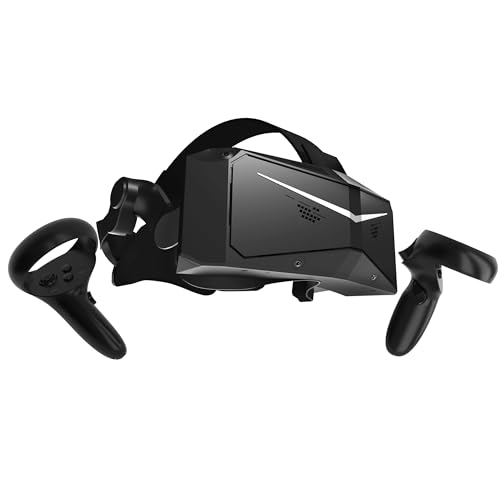
Pimax, Bigscreen, and other brands publish their own requirements. High-resolution headsets can demand premium or top-tier GPUs.
Tier Details and Trade-offs
Budget
A lower-tier GPU can run lighter VR games and Quest streaming, but you may need to lower render resolution or settings. It suits casual players who want to try VR.
Mid-range
The RTX 5060 Ti or RTX 5070 class is a sensible target for most players. It handles many popular titles at good quality, and leaves room for upgrades.
Premium and top tier
An RTX 5080 or RTX 5090 class machine suits high-resolution headsets, flight simulators, and heavy mods. It requires a strong power supply and a roomy case, and consumes more power. These are only needed if you push high render resolutions.
Fit and Setup Notes
- Space: VR needs room-scale area. Measure the play space and cable routing.
- Cable length: A wired headset needs a long cable run or a mounted extension. Follow the maker’s guidance.
- Power supply: Confirm that the wattage meets the GPU maker’s recommendation.
- Ventilation: Place the PC where it can draw cool air. Avoid enclosed cabinets.
- Dust: Clean filters periodically. Switch off and unplug the PC before cleaning inside.
- Comfort and safety: Take breaks from VR, clear the play area, and follow the headset maker’s age and health guidance. Stop if you feel unwell.
Pick X If… Decision Table
| Pick this | If you |
|---|---|
| Budget RTX 5050 or RTX 4060 class PC | Want to try Quest streaming and lighter games |
| Mid-range RTX 5060 Ti or RTX 5070 class PC | Want a good all-round VR machine |
| Premium RTX 5080 class PC | Use a high-resolution headset or play simulators |
| Top-tier RTX 5090 class PC | Want maximum settings and future headroom |
| Upgrade-friendly prebuilt (Corsair, NZXT) | Plan to swap parts later |
| Mainstream OEM tower (Alienware, HP, Lenovo, MSI) | Prefer support and warranty from a large maker |
Alternatives
- Gaming laptops: Portable VR-ready options, though cooling is tighter.
- Building your own PC: More control over parts and cost.
- Standalone headsets: Quest owners may not need a PC for many games.
- Console VR: PlayStation VR2 for console owners.
- Upgrading an existing PC: A new GPU may be enough if your processor and power supply are recent.
Reading a Prebuilt Spec Sheet
When comparing prebuilt PCs, read the listing carefully for the parts that affect VR most. Confirm the exact graphics card name, including suffixes such as Ti or Super, because similar names can hide large performance gaps. Check the processor generation and core count, the memory amount and whether it runs in dual-channel mode, and the storage type. Look at the power supply wattage and whether it carries an efficiency certification from the maker. A well-balanced machine pairs a strong GPU with a capable processor and enough memory, rather than spending on one part alone.
Also look at the warranty terms, the number and type of ports, and whether the case has room for a longer graphics card. Some compact towers limit cooling and future upgrades. If you plan to use a wired headset, make sure a free DisplayPort or HDMI output and the required USB ports are available on the graphics card and motherboard, not just listed on the box.
Finally, think about the whole setup rather than the tower alone. A headset needs a clear play area, a tidy cable path, and a router that can handle wireless streaming if you plan to go cable-free. Budget time for driver updates and for the headset maker’s companion software, which sometimes needs a fresh installation after a major Windows update.
Frequently Asked Questions
What graphics card do I need for VR?
Makers list minimum and recommended cards for each headset. For general use, a mid-range current card gives comfortable headroom. High-resolution headsets benefit from premium cards.
How much RAM is enough for VR?
16 GB is the common minimum and 32 GB gives extra room. Use faster memory if your platform supports it.
Can I use a gaming laptop for VR?
Yes, if it has a capable GPU and the right ports. Cooling is tighter, so sessions may be louder and hotter.
Do I need a PC for Meta Quest 3?
No, it runs standalone games. A PC is only needed for PC VR through Link or Air Link.
Is Wi-Fi good enough for wireless PC VR?
Often, with a dedicated router. Use a 5 GHz or 6 GHz connection, and keep the PC wired to the router.
Is VR safe for everyone?
Makers publish age and health guidance. Take breaks, stop if you feel dizzy or unwell, and speak with a doctor if you have concerns.





