Key takeaways
- Up to 6 inches of height: a base about 3 inches wide is usually stable.
- 6 to 10 inches: look for a base around 4 inches wide or a weighted metal base.
- Over 10 inches: expect some wobble when you tap the screen. That is fine for calls but annoying if you type on the phone.
The best adjustable phone stand for most desks is one that adjusts in height as well as angle, such as the Lamicall Height and Angle Adjustable stand, because tilt alone can’t bring a phone up to eye level beside a laptop or monitor. If you only glance at notifications, a fixed-height tilting stand like the OMOTON C2 costs less and works fine. If you use MagSafe or Qi2 on an iPhone, a magnetic stand on a telescoping arm is quicker to use.
The rest of this guide explains why height matters more than most product listings suggest, how the leading stands compare on reach and footprint, and which one fits your desk.
Our top picks
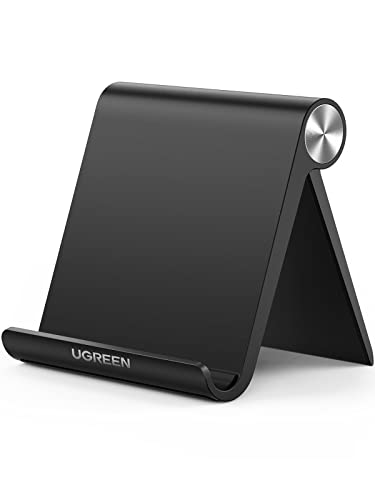

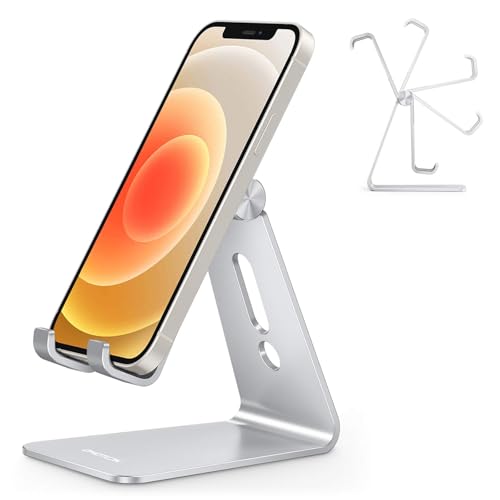

As an Amazon Associate we earn from qualifying purchases at no extra cost to you. Ratings are shown as listed on Amazon.
Why “adjustable” usually means two different things
Most stands sold as adjustable only tilt. A hinge sets the angle, but the phone always sits about 3 to 5 inches above the desk. That height works for reading a recipe or watching a notification arrive. It does not work for video calls, where the camera ends up below your chin, or for reading a second-screen app next to a monitor whose center is 14 to 18 inches up.
True height-adjustable stands use a sliding bar, a telescoping post, or a gooseneck to raise the cradle. If you take calls or follow chat and dashboards on your phone, look at the maximum height spec first and the tilt range second.
Comparison of popular adjustable desk stands
| Stand | Height range | Holding method | Folds flat | Typical price |
|---|---|---|---|---|
| OMOTON C2 aluminum stand | Fixed, about 4 in (tilt only) | Cradle with lip | Partly | $10–$15 |
| Lamicall Height and Angle Adjustable | 5.9–10.6 in | Cradle with lip | No | $20–$30 |
| Lamicall foldable stand | Up to about 3.2 in of extension | Cradle, fits cases up to 0.71 in | Yes | $12–$20 |
| UGREEN magnetic stand | 4.7–5.9 in | MagSafe magnet | Yes | $12–$20 |
| Lamicall magnetic height-adjustable stand | 5.9–9.8 in | MagSafe magnet | No | $20–$35 |
| COOPER MagStand | 9–13 in | MagSafe magnet | Collapses | $30–$50 |
Heights are measured from the desk to the cradle or magnet center and come from manufacturer specs. Your phone adds another 2 to 3 inches above that point in portrait.
Find the height you actually need
You can work out the right height with a tape measure instead of guessing:
- Sit normally and measure from the desk to your eye line. For most adults at a standard 29-inch desk this is 16 to 20 inches.
- For video calls, the phone’s front camera should be about 2 to 4 inches below eye level. That puts the top of a portrait phone at roughly 13 to 17 inches above the desk.
- Subtract the phone’s length above the cradle (about 5 to 6 inches for a 6.1 to 6.9 inch phone). The stand needs to reach roughly 8 to 11 inches.
- For glanceable use next to a keyboard, 4 to 6 inches is enough, and a shorter stand is more stable.
Using that math, a tilt-only stand will always put the camera too low for calls. The Lamicall slide-bar stand and the taller magnetic stands get into the useful range. The COOPER MagStand reaches high enough to sit next to a raised monitor.
Picks by situation
Video calls and eye-level viewing: Lamicall Height and Angle Adjustable
The slide bar raises the cradle to about 10.6 inches, which covers most video-call setups. Because it holds the phone with a cradle lip rather than a magnet, it works with any phone, including Android models and iPhones in thick cases. The trade-off is that it doesn’t fold, so it stays on the desk.
Cheapest sturdy option: OMOTON C2
A brushed aluminum frame, a wide rubberized base and a stiff hinge make this a stable stand for reading and notifications. It doesn’t adjust in height, so skip it if you plan to take calls from it.
MagSafe iPhone on a budget: UGREEN magnetic stand
It rotates 360 degrees for portrait or landscape and folds for travel. Its 5.9-inch maximum height is still short for calls, so treat it as a desk-level viewer that snaps on quickly.
Tallest reach: COOPER MagStand
Telescoping to about 13 inches, it is one of the few stands that can put an iPhone beside a monitor at eye level. Reported downsides are a base that can slide on smooth surfaces and an adjustment that can stiffen with use. A thin rubber mat under the base fixes the sliding.
Mid-height magnetic: Lamicall magnetic height-adjustable stand
Its 9.8-inch reach and weighted metal base suit a MagSafe iPhone used for calls on a regular desk. It holds the phone but does not charge it, so you need to run a cable if you want charging while you work.
Stability: the spec nobody prints
A taller stand needs a heavier or wider base, because tapping the screen at the top of a 10-inch post creates leverage. As a rough guide:
- Up to 6 inches of height: a base about 3 inches wide is usually stable.
- 6 to 10 inches: look for a base around 4 inches wide or a weighted metal base.
- Over 10 inches: expect some wobble when you tap the screen. That is fine for calls but annoying if you type on the phone.
Magnetic stands add another variable. A bare iPhone or a MagSafe case holds well. A non-magnetic case, or a phone with a stick-on metal ring, holds much less and can slide down when you tilt it steeply.
Charging and cable routing
Cradle-style stands usually leave a slot for the charging cable. Check that it is wide enough for a right-angle or thick braided USB-C plug. Magnetic stands that don’t charge leave the bottom port free. If you want wireless charging, look specifically for a Qi2 or MagSafe charging stand. A plain magnet stand will not charge, even if it looks similar.
What wears out first
- Hinge friction: cheaper hinges loosen after months of daily adjustment, and the phone slowly tips back. Stands with a tension screw can be tightened.
- Silicone pads: the cradle lip pads collect dust and can peel. Wipe them with a damp cloth and avoid alcohol, which dries out silicone.
- Magnet coatings: the rubber ring on magnetic heads can wear through and scuff a case. Inspect it every few months.
- Telescoping posts: they can stiffen or sag. Extend them fully now and then and keep them clean.
Quick decision guide
| Your situation | Recommended type | Minimum height |
|---|---|---|
| Notifications and reading at the keyboard | Tilt-only aluminum stand | 3–5 in |
| Daily video calls, any phone | Slide-bar cradle stand | 8–11 in |
| Daily video calls, MagSafe iPhone | Tall magnetic stand | 9–13 in |
| Laptop bag travel | Folding cradle or folding magnetic stand | 4–6 in |
| Monitor on an arm or riser | Telescoping magnetic stand | 11–13 in |
FAQ
Will an adjustable stand hold a phone in a thick case?
Cradle stands usually list a maximum thickness. Around 0.7 inches covers most rugged cases. Magnetic stands need a MagSafe-compatible case, whatever its thickness.
Can I use an adjustable phone stand for a small tablet?
Many aluminum cradles hold 7 to 8 inch tablets. Tall stands become top-heavy with that extra weight, so keep tablets on shorter, wider stands.