Key takeaways
- The best ultrabooks in 2026 are the 13-inch MacBook Air for most travelers, the 15-inch MacBook Air for a larger workspace, the Lenovo ThinkPad X1 Carbon for business travel, and the Microsoft Surface Laptop for Windows users who want long…
The best ultrabooks in 2026 are the 13-inch MacBook Air for most travelers, the 15-inch MacBook Air for a larger workspace, the Lenovo ThinkPad X1 Carbon for business travel, and the Microsoft Surface Laptop for Windows users who want long battery life without a heavy machine.
Our top picks
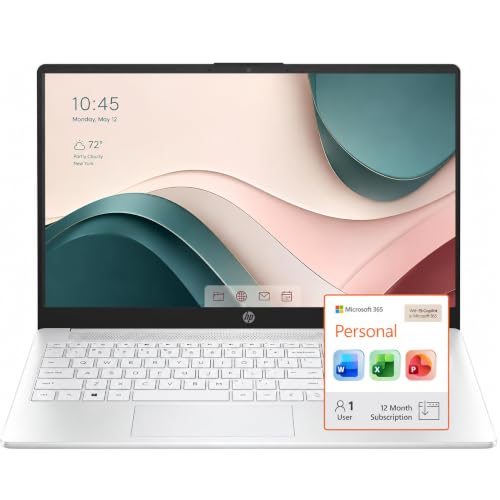

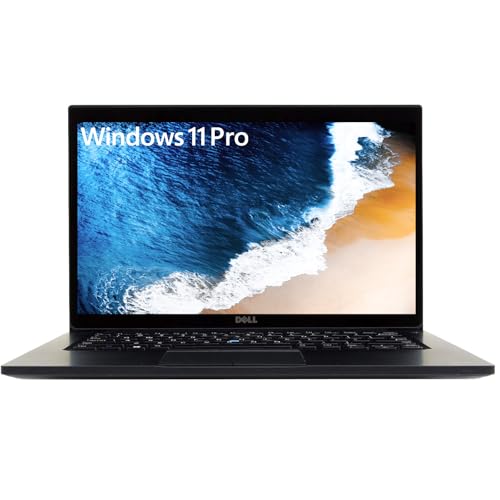

As an Amazon Associate we earn from qualifying purchases at no extra cost to you. Ratings are shown as listed on Amazon.
Best ultrabooks at a glance
| Ultrabook | Best for | Weight | Display | Battery expectation | Ports | Upgrade limits |
|---|---|---|---|---|---|---|
| Apple MacBook Air 13-inch (M4) | Most people and frequent travelers | 1.24 kg | 13.6-inch, 2560 × 1664 | About 12–16 hours of mixed work | 2 × Thunderbolt 4, 3.5 mm audio, MagSafe | Memory and storage are soldered |
| Apple MacBook Air 15-inch (M4) | Large-screen productivity | 1.51 kg | 15.3-inch, 2880 × 1864 | About 11–15 hours of mixed work | 2 × Thunderbolt 4, 3.5 mm audio, MagSafe | Memory and storage are soldered |
| Lenovo ThinkPad X1 Carbon Gen 13 | Corporate work and typing | From about 1.0 kg | 14-inch, usually 1920 × 1200 or OLED options | About 9–14 hours, configuration dependent | 2 × Thunderbolt 4, 2 × USB-A, HDMI, audio | Memory is soldered; SSD is commonly replaceable |
| Microsoft Surface Laptop 13.8-inch | Windows travel and office work | 1.34 kg | 13.8-inch, 2304 × 1536, 3:2 | About 11–15 hours of mixed work | 2 × USB-C, USB-A, Surface Connect, audio | SSD may be serviceable; memory is soldered |
| ASUS Zenbook S 14 | Windows users wanting OLED and low weight | About 1.2 kg | 14-inch, commonly 2880 × 1800 OLED | About 8–12 hours of mixed work | 2 × Thunderbolt 4, USB-A, HDMI, audio | Memory is soldered; SSD replacement depends on model |
Battery figures vary with processor, screen brightness, OLED use, video calls, and battery condition. Treat them as practical planning ranges rather than guaranteed runtimes.
Which ultrabook should you choose?
Best overall: MacBook Air 13-inch with M4
The 13-inch MacBook Air is the easiest recommendation if you want a quiet, light laptop for documents, browsing, video calls, coding, and moderate photo or video work. Its 1.24 kg weight is comfortable in a small backpack, while the M4 processor has ample performance for everyday multitasking. The sharp 13.6-inch display is spacious enough for mobile work without making the computer bulky.
Its main compromise is connectivity. Two Thunderbolt 4 ports, MagSafe, and a headphone jack are enough for basic use, but a desk with HDMI, Ethernet, SD cards, and several USB devices will require a dock. Memory and storage cannot be upgraded later, so 16GB of unified memory and at least 512GB of storage are sensible starting points for long-term ownership.
Best large-screen choice: MacBook Air 15-inch with M4
The 15-inch MacBook Air is better when your laptop replaces a desktop monitor. The extra screen area makes side-by-side documents, spreadsheets, and timelines more comfortable, and the larger chassis provides a roomier keyboard and trackpad. At 1.51 kg, it remains travel-friendly, but it takes more space on airplane tables and in smaller bags.
Choose it over the 13-inch model when display size matters more than minimum weight. Do not buy it expecting professional workstation performance: the fanless design is quiet, but sustained high-end rendering and extensive 3D workloads favor a thicker laptop with active cooling.
Best for business travel: Lenovo ThinkPad X1 Carbon Gen 13
The ThinkPad X1 Carbon remains a strong work-focused option because it combines very low weight with a useful port selection. HDMI and USB-A reduce the number of adapters needed in meeting rooms, while the keyboard, pointing stick, and business-oriented security features suit people who type all day or work in managed environments.
Screen selection matters. A lower-resolution IPS panel generally offers better battery life than an OLED panel, while OLED provides stronger contrast and more attractive image quality. The trade-off is often higher power use and potential image-retention concerns with static content. Check the exact battery and display configuration before purchasing.
Best Windows all-rounder: Microsoft Surface Laptop
The Surface Laptop is a good fit for Windows users who want a polished, thin computer rather than a highly expandable business machine. Its 3:2 display is particularly useful for writing, web research, and spreadsheets because it shows more vertical content than a conventional 16:10 screen. The keyboard and trackpad are also well suited to daily office work.
Its port selection is better than the MacBook Air’s in some respects because it includes USB-A, but it is still not a connectivity specialist. The Snapdragon-based versions can deliver excellent efficiency, although compatibility should be checked if you rely on older drivers, specialist peripherals, enterprise software, or x86-only utilities.
Best OLED Windows option: ASUS Zenbook S 14
The Zenbook S 14 targets buyers who want a premium OLED display in a highly portable Windows laptop. Its 14-inch panel is excellent for films, design work, and multitasking, while the low weight is convenient for commuting. It also provides HDMI and USB-A alongside USB-C, making it more adaptable than many thin rivals.
OLED is not automatically the best choice for every office. High brightness, dark themes, and frequent video playback can reduce battery life, and static interface elements deserve sensible screen-saver settings. If your priority is all-day writing away from a charger, a lower-power IPS display may be the better specification.
Decision matrix: match the laptop to your routine
| Your situation | Best match | Why | Watch out for |
|---|---|---|---|
| Daily commute, limited desk space | 13-inch MacBook Air | Low weight, long practical battery life, compact footprint | Few built-in ports |
| Frequent spreadsheets and split-screen work | 15-inch MacBook Air or Surface Laptop | Larger display, more usable vertical workspace | More bag and desk space required |
| Corporate meetings and mixed office equipment | ThinkPad X1 Carbon | HDMI and USB-A reduce adapter dependence | Premium display configurations can cost more and use more power |
| Windows software with unknown compatibility | Intel-based ThinkPad or Zenbook configuration | Broadest compatibility with older tools and drivers | May not match ARM battery efficiency |
| Films, photo work, and premium contrast | Zenbook S 14 OLED | High-resolution OLED image quality | Potentially shorter runtime under bright workloads |
What specifications matter most?
Weight: The difference between 1.2 kg and 1.5 kg seems small, but it is carried every day. Add a charger, dock, mouse, and accessories, and the total travel load can exceed 2 kg. For frequent air travel, prioritize the complete carry weight rather than the laptop alone.
Battery: Use a simple planning calculation. If your workday includes six hours of active laptop use and the computer delivers roughly 12 hours of mixed use, six hours consumes about half its practical capacity. Video meetings, high brightness, external displays, and weak Wi-Fi can reduce that margin substantially. A USB-C power bank is useful only if it supports the laptop’s required wattage.
Display size: A 13-inch model maximizes portability; 14 inches is the balanced choice; 15 inches is better for spreadsheets and creative timelines. Resolution alone does not determine quality: brightness, scaling, refresh rate, contrast, and surface reflections also affect comfort.
Ports: Count the devices you connect simultaneously. A laptop needing power, an external display, storage, and a mouse may require four connections. If the computer has only two USB-C ports, budget for a dock and check whether the dock supports the display resolution you need.
Performance: For office work, 16GB of memory is a sensible baseline in 2026. Choose 24GB or 32GB for large datasets, virtual machines, software development, or heavier creative applications. Processor branding matters less than the complete configuration and cooling design: a thin fanless laptop may be quick in short bursts but slower during long renders.
Upgrade limits and ownership realities
Most modern ultrabooks sacrifice repairability for thinness. Memory is usually soldered, and some models use a sealed battery or specialized storage. Before buying, select enough memory and storage for the laptop’s expected lifetime. External SSDs can expand files, but they cannot replace internal space for applications, system updates, or virtual machines.
The components that commonly wear first are the battery, keyboard, trackpad surface, charging cable, and display hinge. Keep vents clear, avoid carrying the laptop by the screen, and do not leave it permanently at maximum heat inside a car or tightly packed sleeve. Clean the screen with a soft microfiber cloth; household glass cleaner can damage coatings.
For most buyers, the best ultrabook is not the thinnest model available. It is the one with enough memory, a display size you can work on comfortably, ports that match your routine, and battery capacity that leaves a useful reserve at the end of the day.
Frequently asked questions
Is 13 inches too small for work?
Not usually. It is suitable for writing, browsing, coding, and video calls. A 14- or 15-inch display is more comfortable for large spreadsheets or frequent split-screen work.
Can an ultrabook replace a desktop computer?
Yes for office work, programming, communication, and moderate creative tasks. Choose a thicker performance laptop instead if you regularly render video, compile very large projects, run several virtual machines, or use demanding 3D software.
How much should a good ultrabook cost?
General market pricing spans roughly $700–$1,000 for capable midrange models, $1,000–$1,600 for premium configurations, and more than $1,600 for high-memory, OLED, or business editions. Compare memory and storage before comparing headline prices.