Key takeaways
- 16–32 ohms: Common for portable headphones and many IEMs. Prioritize low noise, low output impedance, and smooth volume adjustment.
- 60–150 ohms: Most competent desktop DAC/amps can handle these loads, but demanding planar models may still benefit from greater current capability.
- 250–600 ohms: Look for strong voltage output and a suitable gain setting. Older or low-sensitivity studio headphones can expose weak amplifiers quickly.
- Planar magnetic headphones: Treat sensitivity, not impedance, as the main warning sign. Some are easy to drive; others need substantial current.
The best headphone amplifier is the one that provides enough clean power for your headphones, matches their impedance and sensitivity, fits your listening space, and offers only the connections and DAC features you will actually use.
Our top picks
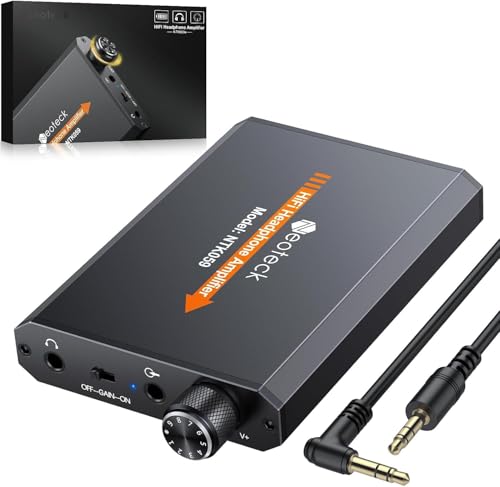

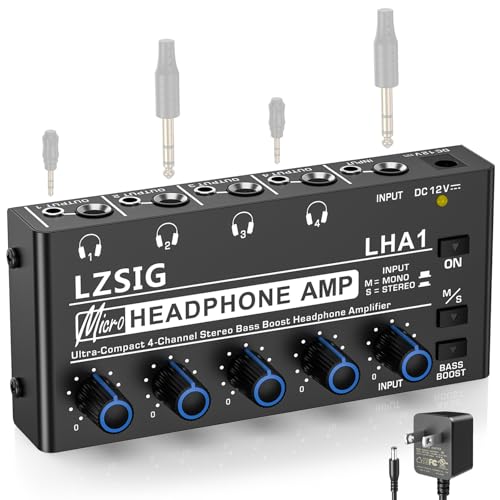

As an Amazon Associate we earn from qualifying purchases at no extra cost to you. Ratings are shown as listed on Amazon.
Quick picks by listening situation
| Situation | Best fit | Why it makes sense |
|---|---|---|
| Desktop headphones, USB computer setup | FiiO K11 | Compact DAC/amp with USB, optical, coaxial, single-ended and balanced outputs; suitable for a broad range of headphones. |
| Separate amplifier for an existing DAC | JDS Labs Atom Amp 2 | Powerful, straightforward analog amplifier with preamp outputs and no unnecessary digital section. |
| Desktop system with several inputs | FiiO K7 | USB, optical and coaxial inputs, line output, high/low gain, and both 4.4 mm balanced and 6.35 mm outputs. |
| Small budget setup | FiiO K11 or iFi ZEN DAC 3 | Both combine DAC and headphone amplification in a relatively small desktop enclosure; the better choice depends on desired outputs and headphone load. |
| Phone, tablet, or portable listening | Qudelix 5K or FiiO BTR15 | Battery-powered Bluetooth DAC/amps that avoid a large desktop box and can drive many portable and moderate-demand headphones. |
| Very sensitive in-ear monitors | Low-noise portable DAC/amp or a low-gain desktop amplifier | Low output noise and fine volume control matter more than maximum wattage. |
How much amplifier power do your headphones need?
Impedance alone does not determine whether an amplifier is suitable. A 300-ohm headphone can be easy to drive if its sensitivity is high, while a low-impedance planar magnetic model may need substantially more current than its impedance suggests. Use both impedance and sensitivity when comparing a headphone with an amplifier.
Headphone sensitivity is commonly listed as decibels per milliwatt (dB/mW) or decibels per volt (dB/V). For a rough estimate using dB/mW, the power needed for a target level is:
Required power in milliwatts = 10(target level − sensitivity) / 10
For example, a headphone rated at 104 dB/mW needs about 4 mW to reach 110 dB. Adding roughly 10 dB of headroom suggests looking for at least 40 mW at its impedance, rather than choosing an amplifier that barely reaches the calculated average. Music has peaks, and extra headroom reduces the chance of audible strain.
With a 300-ohm headphone rated at 102 dB/V, the voltage requirement is more important. An amplifier capable of around 2 V RMS is usually a more useful baseline than one selected only because it advertises a large wattage figure at 32 ohms. Check the amplifier’s output power at your headphone’s actual impedance, not only its headline maximum.
Impedance matching in practice
- 16–32 ohms: Common for portable headphones and many IEMs. Prioritize low noise, low output impedance, and smooth volume adjustment.
- 60–150 ohms: Most competent desktop DAC/amps can handle these loads, but demanding planar models may still benefit from greater current capability.
- 250–600 ohms: Look for strong voltage output and a suitable gain setting. Older or low-sensitivity studio headphones can expose weak amplifiers quickly.
- Planar magnetic headphones: Treat sensitivity, not impedance, as the main warning sign. Some are easy to drive; others need substantial current.
An amplifier’s output impedance should generally be much lower than the headphone’s impedance. A low output impedance helps preserve the headphone’s intended frequency response, particularly with multi-driver IEMs. An output impedance below 2 ohms is a useful target for sensitive earphones and modern low-impedance headphones.
Head-to-head: DAC/amp combo or separate components?
A DAC/amp combo is usually the better first purchase. It takes less desk space, needs fewer cables, and avoids the possibility of connecting an amplifier to a noisy or poor-quality computer output. The FiiO K11, FiiO K7, and iFi ZEN DAC 3 are examples of this type.
A separate DAC and amplifier become more useful when you already own a good DAC, need multiple amplifier outputs, want to upgrade one section at a time, or use powered speakers through a preamp output. The JDS Labs Atom Amp 2 is a sensible example of an amplifier-only approach: its value is in amplification and control rather than digital decoding.
Do not assume balanced automatically means better sound. Balanced outputs can provide more power and may reduce ground-related noise in some systems, but they require balanced cabling throughout the relevant connection. A balanced headphone cable does not make a single-ended source balanced, and using a cheap adapter in the wrong direction can create connection problems.
Useful DAC features versus spec-sheet distractions
- USB input: Essential for most computer setups. Confirm whether the device works with your operating system and whether it supports the sample rates you use.
- Optical and coaxial inputs: Valuable for a game console, television, CD player, or streamer with digital output.
- Bluetooth: Useful for convenience. Support for aptX Adaptive, LDAC, or similar codecs can improve wireless performance, but the source device must support the same codec.
- 4.4 mm balanced output: Helpful when the amplifier provides genuinely higher output through it and you own compatible cables.
- Line output or preamp mode: Important if you plan to connect powered speakers or another amplifier.
- Gain switch: Low gain is preferable for sensitive headphones; high gain can provide more range for difficult loads.
- Display and filters: Convenient, but secondary to output noise, power at the correct impedance, and reliable volume control.
Desktop space and specification comparison
| Model | Approximate size | Approximate weight | Key outputs | Best use |
|---|---|---|---|---|
| FiiO K11 | About 15 × 13.3 × 3.2 cm | About 0.4 kg | 6.35 mm, 4.4 mm balanced, line output | Compact all-in-one desktop system |
| FiiO K7 | About 12 × 16.8 × 5.5 cm | About 0.56 kg | 6.35 mm, 4.4 mm balanced, line output | Desktop users needing multiple digital inputs |
| JDS Labs Atom Amp 2 | About 14.3 × 10.4 × 4 cm | About 0.4 kg | 6.35 mm headphone output, RCA preamp output | Pairing with a separate DAC |
| Qudelix 5K | About 5.8 × 2.3 × 1.4 cm | About 0. Often listed near 0.03 kg | 3.5 mm, 2.5 mm balanced | Portable Bluetooth and USB listening |
| FiiO BTR15 | About 7.2 × 3.2 × 1.7 cm | About 0.05 kg | 3.5 mm, 4.4 mm balanced | Portable use with a modern balanced cable |
Dimensions are more important than many buyers expect. Measure the available depth behind your monitor or under a shelf, allowing room for USB, power, and headphone cables. A vertical or unusually deep unit can be awkward even when its footprint appears small. Portable models save space but introduce charging, battery aging, and cable-management considerations.
A practical buying decision matrix
| Your priority | Choose | Avoid prioritizing |
|---|---|---|
| Lowest total cost | USB DAC/amp with enough output for your headphones | Buying a separate balanced system without a clear need |
| Frequent desk listening | Metal desktop combo with a physical volume knob and replaceable cable | Tiny dongles that leave your phone or laptop dangling from a cable |
| Occasional travel | Battery-powered Bluetooth DAC/amp | Large mains-powered amplifier |
| Very sensitive IEMs | Low-noise, low-gain amplifier with low output impedance | Choosing by maximum wattage alone |
| Hard-to-drive headphones | Amplifier with published power or voltage at the correct impedance | Relying on a generic “high power” label |
| Future system expansion | Unit with line/preamp output and multiple digital inputs | Model with only one fixed output and no gain control |
Setup mistakes that reduce performance
- Check the headphone specification and amplifier output at the same impedance.
- Start on low gain and set the volume to minimum before connecting headphones.
- Use the shortest sensible signal path: USB directly to the DAC/amp is often simpler than routing through a computer’s analog headphone jack.
- For a balanced output, use a properly wired balanced cable designed for that amplifier. Do not connect speaker outputs or unknown adapters to a headphone.
- Compare sound at matched volume. A louder amplifier can seem better even when the difference is only level.
Ownership realities
The parts most likely to wear are the volume control, headphone socket, USB cable, and rechargeable battery in portable models. Keep a desktop amplifier ventilated, avoid pulling it by the headphone cable, and disconnect a cable by its plug rather than its wire. Clean fingerprints and dust with a dry or lightly damp microfiber cloth; keep liquid away from switches and sockets.
Rechargeable portable DAC/amps gradually lose capacity. If a model provides roughly 6–8 hours of real use per charge, expect charging frequency to matter more than a small difference in codec support. A desktop unit avoids battery replacement but depends on a power adapter and occupies permanent space.
For most buyers, the best headphone amplifier is a properly matched USB DAC/amp with low output impedance, a low-gain setting, and enough measured power at the headphone’s real impedance. Add balanced output, Bluetooth, optical input, or a separate amplifier only when that feature solves a specific problem in your system.