Key takeaways
- Best free 3D software: Blender.
- Best free 2D drawing and frame-by-frame tool: Krita.
- Best free traditional 2D animation package: OpenToonz.
- Best for professional 2D studio pipelines: Toon Boom Harmony.
- Best for 2D character rigging on a smaller budget: Moho.
- Best for hand-drawn production: TVPaint.
- Best for professional 3D character animation: Autodesk Maya.
- Best for motion graphics and polished 3D design: Cinema 4D.
Best Animation Software: Top Picks for Beginners & Pros
Blender is the best overall starting point for 3D animation, while Krita or OpenToonz suit beginners who want 2D; professionals should look at Toon Boom Harmony, TVPaint, Moho, Autodesk Maya, or Cinema 4D depending on whether they need hand-drawn animation, character rigs, visual effects, or studio-standard 3D production.
The right choice is less about finding the most powerful program and more about matching the software to your workflow. A short hand-drawn clip, a rigged YouTube character, a product animation, and a feature-film asset all require different tools.
Our top picks


As an Amazon Associate we earn from qualifying purchases at no extra cost to you. Ratings are shown as listed on Amazon.
Quick picks by situation
- Best free 3D software: Blender.
- Best free 2D drawing and frame-by-frame tool: Krita.
- Best free traditional 2D animation package: OpenToonz.
- Best for professional 2D studio pipelines: Toon Boom Harmony.
- Best for 2D character rigging on a smaller budget: Moho.
- Best for hand-drawn production: TVPaint.
- Best for professional 3D character animation: Autodesk Maya.
- Best for motion graphics and polished 3D design: Cinema 4D.
Best animation software compared
| Software | Best suited to | Learning curve | Rigging capability | Typical export options |
|---|---|---|---|---|
| Krita | 2D frame-by-frame animation and illustration | Low to medium | Limited; mainly drawing-based | PNG image sequences, GIF, video through supported rendering workflows |
| OpenToonz | Traditional 2D and scanned artwork | Medium | Basic to medium, with cut-out workflows | Image sequences and common video formats through render settings |
| Blender | 3D animation, modelling, simulation, and rendering | Medium to high | Advanced armatures, constraints, shape keys, and drivers | PNG, OpenEXR, animation codecs, and rendered image sequences |
| Moho | 2D cut-out characters and independent animation | Medium | Strong 2D bones, meshes, smart actions, and facial rigs | Video, image sequences, GIF, and layered project outputs |
| Toon Boom Harmony | Professional 2D series and studio pipelines | High | Advanced deformers, nodes, pegs, and cut-out rigs | Broadcast-oriented image sequences, video, and compositing outputs |
| TVPaint | Hand-drawn 2D animation | Medium | Less rig-focused; excels at traditional drawing | Image sequences, video, and production interchange formats |
| Autodesk Maya | High-end 3D characters, film, and games | High | Advanced skeletons, deformers, constraints, and animation layers | FBX, Alembic, USD, image sequences, and rendered video |
| Cinema 4D | 3D motion graphics, design, and product visuals | Medium to high | Character tools plus procedural and MoGraph systems | Video, image sequences, and interchange formats such as FBX and Alembic |
These learning-curve ratings assume no previous experience with animation. Someone already comfortable with drawing may find TVPaint easier than Blender, while a 3D modeller may progress faster in Blender or Cinema 4D than in a node-based 2D package.
Best 2D animation software
Krita: best entry point for drawn animation
Krita is a strong choice for beginners who already think in sketches, layers, and brush strokes. Its animation workspace supports frame-by-frame work without forcing users to learn a complete 3D scene-building system. It is especially useful for short loops, animated illustrations, storyboards, and social-media clips.
The limitation is rigging. Krita is not designed around reusable bone-based characters, so repeating a walk cycle or changing a character’s pose can require substantial redrawing. Choose it when expressive drawing matters more than production speed.
OpenToonz: best free traditional 2D workflow
OpenToonz offers a deeper animation pipeline than a general-purpose painting app. It can handle scanned drawings, exposure sheets, traditional cel-style work, and cut-out approaches. It is a sensible option for learners who want to understand production concepts such as timing, drawings, scenes, and render settings without immediately paying for a professional subscription.
Its interface takes longer to learn than Krita’s, and troubleshooting exports or scene settings can be part of the learning process. It rewards users who want a traditional animation workflow rather than a quick one-off clip.
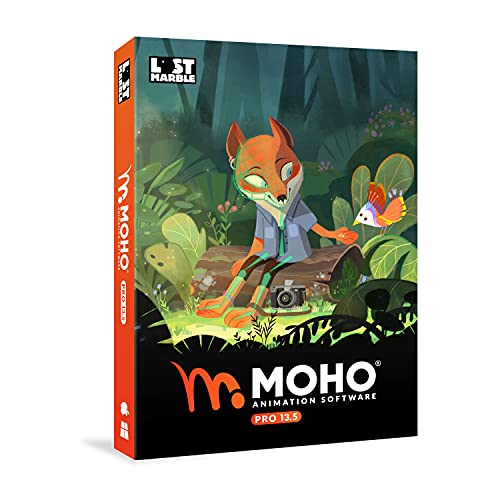
Moho: best for efficient 2D character rigs
Moho is built around 2D rigging. Bone systems, mesh deformation, smart actions, and reusable facial controls can turn a character into a practical production asset. This makes it a good fit for web series, explainer videos, indie projects, and creators who need to animate the same cast repeatedly.
Rigging saves time only after setup. A poorly constructed character can produce collapsing joints, unwanted mesh distortion, or awkward facial poses. Plan the artwork for deformation, separate moving parts cleanly, and test the rig with extreme poses before animating a full scene.
Toon Boom Harmony and TVPaint: professional 2D choices
Toon Boom Harmony is the stronger choice when a project needs sophisticated 2D rigs, node-based compositing, reusable assets, and compatibility with established studio workflows. It is powerful but has a steeper learning curve and usually makes more financial sense for a team or a serious long-term production.
TVPaint is better for artists who want the feel of traditional hand-drawn animation. Its strengths are timing, brush response, rough animation, cleanup, and frame-by-frame control. It is less attractive if your main goal is to animate one reusable puppet efficiently.
Best 3D animation software
Blender: best value and broadest free toolkit
Blender combines modelling, sculpting, rigging, animation, rendering, compositing, and simulation in one application. Its armatures, constraints, shape keys, animation curves, and non-linear animation tools are enough for short films, game assets, product visualizations, and motion experiments.
The trade-off is density. Blender can make a beginner learn modelling, materials, lighting, camera work, and rendering before producing a convincing animation. Start with a simple ball bounce, then a rigged low-polygon character, rather than attempting a detailed film character immediately.
Autodesk Maya: best for advanced character animation
Maya remains a serious option for professional 3D animation, especially where teams need detailed character rigs, animation layers, constraints, deformation systems, and production interchange. It is suitable for film, television, games, and complex virtual production work.
It is usually excessive for occasional social content. Subscription costs, training time, and the need for additional texturing, rendering, or compositing tools can make the total ownership cost much higher than the software license alone.
Cinema 4D: best for motion graphics
Cinema 4D is particularly well suited to animated typography, branded visuals, product demonstrations, broadcast graphics, and abstract 3D design. Its MoGraph tools help users create repeated objects, clones, effectors, and procedural motion without manually keyframing every element.
Choose it over Maya when design-driven motion is the priority. Choose Maya when detailed character performance and film-style rigging are more important.
Decision matrix: which tool fits your project?
| Your situation | Recommended choice | Why | Main compromise |
|---|---|---|---|
| No budget, new to animation, drawing-based project | Krita | Simple entry point and strong painting tools | Limited reusable rigging |
| No budget, interested in 3D | Blender | Complete modelling-to-render pipeline | Many systems to learn |
| Repeat characters for online episodes | Moho | Fast 2D rigs and reusable actions | Less natural than hand-drawn animation for every frame |
| Hand-drawn short film | TVPaint or OpenToonz | Strong drawing and timing workflows | More drawings and manual cleanup |
| Studio-style 2D production | Toon Boom Harmony | Advanced rigs, nodes, and production organization | High learning and ownership cost |
| 3D character animation for games or film | Maya or Blender | Detailed rigging and animation systems | Requires substantial technical training |
| Product, logo, or title animation | Cinema 4D or Blender | Efficient 3D design and rendering tools | Realistic materials and lighting take practice |
Export options matter more than beginners expect
Before choosing software, identify the final destination. For social platforms, a standard 1920 × 1080 video at 24, 30, or 60 frames per second is usually sufficient. For higher-resolution delivery, confirm that the application and renderer can produce 3840 × 2160 output without exhausting your computer’s memory.
For editing, exporting an image sequence such as PNG or OpenEXR is often safer than exporting directly to a compressed video file. If a render fails at frame 487 of a 600-frame sequence, you can replace the missing frames rather than restarting the entire export. OpenEXR is useful for high-dynamic-range and compositing workflows, while PNG is simpler for many 2D projects.
Also check whether the software can exchange assets through formats such as FBX, Alembic, or USD when working with other artists. A project file that opens only in one application can become difficult to maintain if your software, renderer, or collaborator changes later.
Ownership realities and common mistakes
Animation software rarely works alone. Budget for a drawing tablet for 2D work, adequate storage for image sequences, and a graphics card capable of handling your chosen 3D renderer. Large scenes can consume tens of gigabytes once source files, caches, textures, and renders are included.
- Keep versions stable: save a master project before upgrading software or plug-ins.
- Use incremental saves: files named Scene_01, Scene_02, and Scene_03 are easier to recover than one overwritten project.
- Render test sections: a 5-second test can reveal broken textures, rig problems, or incorrect frame rates before a long export.
- Separate source and delivery files: retain editable layers, rigs, and high-quality image sequences instead of keeping only a compressed MP4.
- Check licensing: subscription software may be economical for regular professional use but expensive for occasional projects; perpetual-license and free options can reduce long-term costs.
For most first-time users, start with Krita for hand-drawn 2D or Blender for 3D. Move to Moho when reusable 2D characters become central to the work, to TVPaint when drawing quality and timing dominate, and to Harmony or Maya when a professional pipeline justifies the additional cost and training.