Key takeaways
- Display: AMOLED gives deep blacks and strong contrast; high-end LCD panels can be more uniform at low brightness. Anti-glare coatings help outdoors, and some reviewers report that the glare-reducing finish on the largest Samsung models softens fine detail slightly.
- Memory and storage: RAW files from modern cameras are large. Higher RAM tiers let apps keep more layers and previews in memory, and microSD or USB-C storage help with transfer. Check which storage tiers a maker offers in your region, because some models only add a card slot at lower tiers.
- Stylus: Pressure-sensitive pens make masking, dodging and burning more precise than a fingertip. Samsung includes an S Pen with its S-series tablets, according to the maker; other brands often sell their pen separately.
- Software: Adobe Lightroom runs on Android tablets, and Adobe has released a Photoshop app for Android. Snapseed, Darkroom-style apps and Capture One-compatible workflows vary, so confirm that your preferred editor has a tablet-optimised Android version before buying.
- Updates: Samsung publicly commits to a long update window on its recent flagship tablets; most other brands commit to fewer years. Longer support means a longer useful life for a device you are investing a lot in.
For most photographers who edit on Android, a large-screen Samsung Galaxy Tab S-series model is the safest pick because it pairs an AMOLED panel with an included stylus and long software support, while the OnePlus Pad 3 suits buyers who want fast hardware and a big display at a lower tier, and the Galaxy Tab S10 FE suits casual editors on a budget. The right choice depends on screen size, display quality, storage and how you plan to edit.
What matters for photo editing on a tablet
Editing photos is mostly about the screen and the memory. A panel that covers a wide colour range and can be calibrated by eye against a monitor matters more than a headline processor score. Makers such as Samsung list their AMOLED panels as supporting wide colour, but none of these tablets replace a hardware-calibrated monitor for print work. Treat them as a very capable second screen for culling, retouching and exporting for social media or web.
- Display: AMOLED gives deep blacks and strong contrast; high-end LCD panels can be more uniform at low brightness. Anti-glare coatings help outdoors, and some reviewers report that the glare-reducing finish on the largest Samsung models softens fine detail slightly.
- Memory and storage: RAW files from modern cameras are large. Higher RAM tiers let apps keep more layers and previews in memory, and microSD or USB-C storage help with transfer. Check which storage tiers a maker offers in your region, because some models only add a card slot at lower tiers.
- Stylus: Pressure-sensitive pens make masking, dodging and burning more precise than a fingertip. Samsung includes an S Pen with its S-series tablets, according to the maker; other brands often sell their pen separately.
- Software: Adobe Lightroom runs on Android tablets, and Adobe has released a Photoshop app for Android. Snapseed, Darkroom-style apps and Capture One-compatible workflows vary, so confirm that your preferred editor has a tablet-optimised Android version before buying.
- Updates: Samsung publicly commits to a long update window on its recent flagship tablets; most other brands commit to fewer years. Longer support means a longer useful life for a device you are investing a lot in.
Tablets at a glance
| Model | Best for | Key stated specs | Limits |
|---|---|---|---|
| Samsung Galaxy Tab S11 Ultra | Serious mobile retouching, a laptop-like workspace | Very large AMOLED display, S Pen included, Dimensity-class flagship chip per the maker, keyboard cover available | Large and heavy for one-handed use; premium tier |
| Samsung Galaxy Tab S11 | Photographers who want portability with an AMOLED panel | Mid-size AMOLED screen, S Pen included, same family of software features | Smaller canvas than the Ultra; upper mid to premium tier |
| Samsung Galaxy Tab S10 Ultra / S10+ | Buyers who want flagship features after a price drop on the previous generation | Large AMOLED screens, S Pen included, Dimensity 9300+ chip as listed by the maker | Previous generation, so stock and software details differ by region |
| OnePlus Pad 3 | Fast performance and a large high-refresh screen for the money | Snapdragon 8-series flagship chip, large LCD with a high refresh rate, as listed by the maker | Stylus and keyboard are accessories; shorter update commitment than Samsung |
| Samsung Galaxy Tab S10 FE | Casual editors, students, light Lightroom use | Mid-size LCD display, S Pen included, IP-rated body according to the maker | LCD rather than AMOLED; slower chip for heavy layers |
| Lenovo Idea Tab Pro | Budget to mid-range buyers who want a larger screen | Large LCD with a high refresh rate, optional pen, as listed by the maker | Fewer software update years; colour accuracy varies by unit |
Samsung Galaxy Tab S11 Ultra: the workstation option
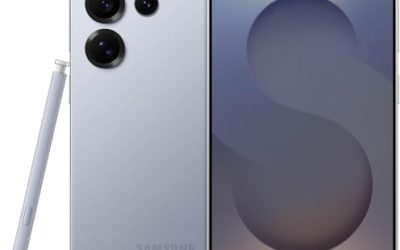
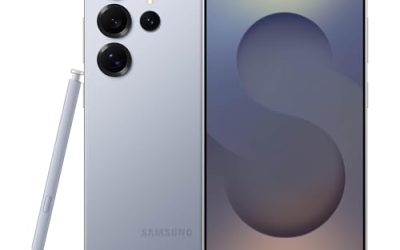
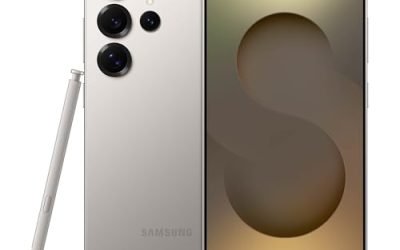
The Ultra is the closest Android gets to a laptop-style editing slate. Samsung lists a very large AMOLED display, an included S Pen and optional keyboard cover, and DeX mode, which gives you a windowed desktop-style interface. For photographers this means you can run Lightroom in one window and a reference image or file manager in another. Reviewers generally point to the screen and the pen as the draw, and to the size and weight as the trade-off: this is not a tablet you hold in one hand on a train. If most of your editing happens at a desk or on a café table and you shoot RAW regularly, it is the model that most closely fits the keyword.
Samsung Galaxy Tab S11 and S10 series: the balanced choice
The smaller S11 and the previous-generation S10+ keep the AMOLED display and included pen at a more manageable size. A mid-size canvas is enough for rating, colour grading and light local adjustments, and it is easier to carry in a camera bag. Buying a previous-generation Ultra or Plus can lower the cost noticeably while keeping the same style of display, so if the S11 sits above your budget tier, the S10 family is worth considering. Confirm storage and RAM tiers before ordering, since both vary by region.
OnePlus Pad 3: performance without the premium label
OnePlus lists a flagship Snapdragon chip, a large high-refresh display and a fast-charging battery for the Pad 3. Reviewers highlight smooth performance with image editors and the generous screen size. The trade-offs are an LCD rather than AMOLED panel, accessories that are sold separately and a shorter software support promise than Samsung. It suits a photographer who edits mainly with touch, values speed, and does not need an included pen.
Galaxy Tab S10 FE and budget alternatives
Casual editors who mostly crop, adjust exposure and apply presets do not need a flagship. The Tab S10 FE includes an S Pen, which is rare at its tier, and Samsung lists water and dust resistance. The Lenovo Idea Tab Pro offers a large screen at a lower tier but with a shorter update window. At this level, expect slower exports with big RAW batches and an LCD that will not show the same contrast as an AMOLED panel.
Fit, accessories and care notes
- Screen protection: A matte or paper-like protective film can improve pen feel but reduces sharpness and can shift perceived colour. If colour judgement matters, a clear film is the more neutral option.
- Cases and keyboards: Keyboard covers add weight and thickness. Make sure any accessory is specific to the exact model, because sizes differ between the Ultra, standard and FE versions.
- Storage: If the tablet has no card slot at your chosen tier, plan on an external USB-C drive for RAW archives.
- Battery: Long editing sessions with maximum brightness drain a tablet quickly. Carry a charger that matches the maker’s stated charging standard.
- Calibration: Many Android tablets offer screen-mode and white-balance settings. Use them to match the display to your main monitor by eye, and do not rely on a tablet alone for print proofing.
Pick X if…
| If you… | Pick |
|---|---|
| Want the largest canvas and a laptop-style workflow | Galaxy Tab S11 Ultra |
| Want AMOLED and a pen in a more portable size | Galaxy Tab S11 or S10+ |
| Want fast hardware and a big screen without a premium label | OnePlus Pad 3 |
| Edit lightly and want a pen included at a lower tier | Galaxy Tab S10 FE |
| Need the lowest tier with a big screen | Lenovo Idea Tab Pro |
| Print professionally | A calibrated monitor first; use the tablet for field edits |
Alternatives to consider
- Xiaomi Pad 7 Pro: Xiaomi lists a high-resolution display and a flagship chip, but availability and warranty support vary by country, so confirm local service first.
- A drawing-focused tablet or a laptop: If you work with large panoramas, heavy layer stacks or tethered shooting, a laptop with a calibrated panel is more capable than any Android slate.
- An iPad: Outside Android, Apple’s tablets have a deep catalogue of photo apps, so they are worth a look if you are not locked into Android.
Frequently Asked Questions
Can an Android tablet replace a laptop for photo editing?
It can handle culling, colour grading and light retouching well, especially on the larger Samsung models. Heavy compositing, large batch exports and tethered shooting are still easier on a laptop. Many photographers use a tablet for the field and travel and a computer for final work.
Is AMOLED or LCD better for editing photos?
AMOLED offers strong contrast and deep blacks, which many editors find pleasing for judging shadows. LCD panels can be more uniform at low brightness. Both can work well, but neither replaces hardware calibration for print.
Do I need a stylus?
For masking, brush work and precise selections, a pressure-sensitive pen is far easier than a finger. If you mainly apply presets and sliders, you can skip it. Samsung’s S-series tablets include one according to the maker, which makes them good value for pen users.
How much storage should I get?
RAW files add up quickly, so choose a higher storage tier if the tablet has no card slot. You can also keep working copies on the tablet and move originals to an external drive. Cloud sync is helpful, but it depends on your connection.
Which editing apps work on Android tablets?
Adobe Lightroom and the Android version of Photoshop are available, along with Snapseed and several other editors. Features differ from the desktop versions, so confirm that your essential tools exist on Android before you buy.
How long will an Android tablet keep getting updates?
It depends on the maker. Samsung publishes a multi-year commitment for its recent flagship tablets, and other brands generally state fewer years. Read the maker’s support page for the exact model before purchase.
More from Amazon
Programs that pair well with the guide above. Offers and eligibility are set by Amazon and may change.
Free shipping on eligible items, Prime Video and more. Eligible new members can start with a free trial.
Start a Prime free trialAd-free music streaming. Eligible new subscribers can start with a free trial.
Try Music Unlimited freeA Prime membership for ages 18-24 with a trial period. Eligibility is set by Amazon.
See Prime for Young AdultsAudiobooks and podcasts to listen to on the go. Eligible new members can start with a free trial.
Try Audible freeAs an Amazon Associate we earn from qualifying purchases.