Key takeaways
- For a compact case: Prioritize the manufacturer’s listed length, height, and thickness over appearance. None of the three cards in the table is a safe assumption for a small-form-factor build.
- For a horizontal mount: Compare the shroud and backplate, since both are usually visible through a side panel. Check whether the card’s lighting is on the side facing the window.
- For a vertical mount: The cooler face becomes the focal point, but the card may sit close to the glass. Leave enough clearance for its fans to draw air.
- For a low-RGB build: Favor finishes and shape over lighting zones. A restrained card is easier to coordinate than one whose lighting cannot be turned off or synchronized as you prefer.
- For a high-RGB build: Check software compatibility before purchase. Lighting ecosystems are not always seamless, and matching colors across brands can take extra setup.
The best-looking graphics card for a show build is the one whose cooler, backplate, lighting, and dimensions suit the case—not simply the card with the most RGB. For a bright, polished centerpiece, the ASUS ROG Astral GeForce RTX 5090 stands out; for a restrained black build, the MSI GeForce RTX 5080 16G SUPRIM SOC is a better visual match; and for a distinctive white system, the Gigabyte GeForce RTX 5080 AERO OC is worth considering.
These are high-end examples, not value picks. Graphics-card designs and exact dimensions can vary by model revision, so confirm the manufacturer’s current product page before buying. The measurements below are approximate reference figures for the named cards, not guarantees of case fit.
Our top picks


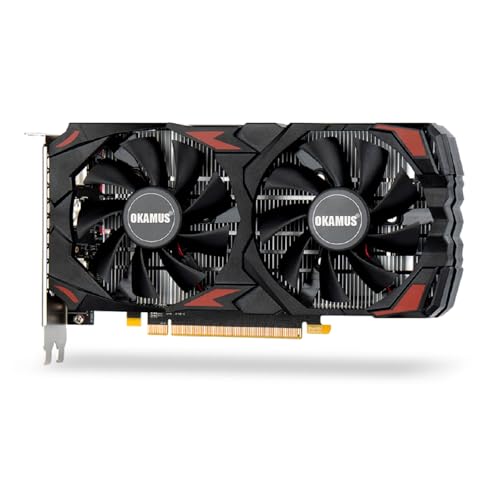
As an Amazon Associate we earn from qualifying purchases at no extra cost to you. Ratings are shown as listed on Amazon.
Show-build GPU picks at a glance
| Graphics card | Visual character | Approx. length | Approx. thickness | Best suited to |
|---|---|---|---|---|
| ASUS ROG Astral GeForce RTX 5090 | Large, angular shroud with prominent lighting | About 358 mm | About 3.8 slots | Large showcase cases and bold RGB builds |
| MSI GeForce RTX 5080 16G SUPRIM SOC | Metallic, geometric finish with more restrained lighting | About 359 mm | About 3.6 slots | Premium black or silver builds |
| Gigabyte GeForce RTX 5080 AERO OC | Light-colored shroud and backplate for a clean white theme | About 340 mm | About 3 slots | White cases and coordinated light-colored components |
Length and slot thickness are only part of the fit check. A thick card can crowd the motherboard, obscure lower expansion slots, or sit close to a bottom-mounted fan. Check the exact card’s width and height too, especially if the power connector faces the glass side panel.
Which design fits your build?
Choose the ROG Astral RTX 5090 for a dramatic centerpiece
The Astral’s size and assertive styling suit a full-size case where the graphics card is meant to dominate the view. Its lighting can add visual interest without relying on a separate light strip, but it needs room around it to avoid looking crammed in. Pair it with a support bracket and a spacious case; a long, heavy card can sag if left unsupported.
This is a poor aesthetic choice for a compact case or a deliberately understated build. It is also an expensive way to buy appearance: choose it for the GPU performance as well as its looks, not just for the illuminated shroud.
Choose the SUPRIM SOC for a refined black or silver theme
MSI’s SUPRIM design leans on sculpted surfaces and metallic accents rather than a wall of color-changing lights. That makes it easier to coordinate with a clean black, graphite, or silver interior. Its visual appeal depends on the finish staying visible, so avoid hiding the card behind a vertical mount or a crowded stack of cables.
Its substantial cooler still calls for a roomy case and support. If the rest of the system is white, a dark GPU may become the most noticeable contrast; that can look intentional, but it is not the seamless all-white effect some builders want.
Choose the AERO OC for a coordinated white build
The AERO’s light-colored surfaces make it a natural match for a white case, white fans, and a pale motherboard. A light backplate can also keep the visible side of a horizontally mounted card from becoming a dark block in an otherwise bright build. Check the exact finish in product photos: “white” cards often include silver, gray, or dark accents.
White parts show dust and discoloration more readily than darker finishes. Keep the case filters clean and use gentle, dry cleaning rather than abrasive products that could mark the shroud or backplate.
Match the card to the case and viewing angle
- For a compact case: Prioritize the manufacturer’s listed length, height, and thickness over appearance. None of the three cards in the table is a safe assumption for a small-form-factor build.
- For a horizontal mount: Compare the shroud and backplate, since both are usually visible through a side panel. Check whether the card’s lighting is on the side facing the window.
- For a vertical mount: The cooler face becomes the focal point, but the card may sit close to the glass. Leave enough clearance for its fans to draw air.
- For a low-RGB build: Favor finishes and shape over lighting zones. A restrained card is easier to coordinate than one whose lighting cannot be turned off or synchronized as you prefer.
- For a high-RGB build: Check software compatibility before purchase. Lighting ecosystems are not always seamless, and matching colors across brands can take extra setup.
Look beyond the product photos
Backplate finish: A metal backplate can feel more substantial and may help the card look finished from different angles. Some models use decorative cutouts or contrasting sections. These details are visible, but they do not necessarily mean the backplate improves cooling in a meaningful way.
Cooling appearance: Three-fan coolers often look balanced in a large case, while a thick heatsink can make the card appear more imposing. More fans do not automatically mean quieter operation or better cooling. Compare the specific model’s cooler design and operating behavior rather than judging by fan count alone.
RGB control: Find out whether the lighting can be disabled, adjusted, or synchronized with your other components. A card that looks great at one fixed brightness may clash with a carefully tuned build at night.
Power-cable routing: The connector and cable can be conspicuous in a windowed PC. Check the card’s connector position and the case’s clearance before buying. Avoid sharply bending a high-power cable right at the plug; leave room for a gentle curve and make sure the connector is fully seated.
A practical fit check before you order
- Measure the available GPU length. Use the case manufacturer’s clearance figure, accounting for front fans or a radiator that occupies space inside the chassis.
- Check slot thickness and nearby parts. Confirm that the card will not block a connector you need or press against a bottom fan.
- Measure side-panel clearance. Include the power plug and the cable’s bend, not just the card itself.
- Plan support and airflow. A support bracket can prevent visible sag, while open space around the fans helps the cooler breathe.
- Compare the card’s finish with the build in normal lighting. Marketing images can make colors and metallic surfaces appear different from how they look through tinted glass.
For a high-impact, brightly lit showcase, the ROG Astral is the boldest option here, provided your case has ample room. The SUPRIM SOC suits a more restrained premium build, while the AERO OC is the clearest match for a white theme. In every case, verify the exact revision’s dimensions, connector clearance, and lighting controls before committing: a well-matched card looks intentional, while an oversized one can make even an expensive show build feel crowded.