Our Top Picks
 ARRIS SURFboard SB8200 DOCSIS 3.1 Cable ModemCable Modem (Single Unit)1.75 x 5.13 x 5.25 Inches1.46 poundsCheck on Amazon
 NETGEAR Nighthawk DOCSIS 3.1 Modem Router Combo CAX30Pack of 111.93 x 5.39 x 9.92 inchesCheck on Amazon
 Arris Surfboard S34 DOCSIS 3.1 Multi-Gig Cable Modem(Pack of 1)5.25 x 1.8 x 5.24 inchesCheck on Amazon
The best cable modem for most households on plans up to about 1 Gbps is a DOCSIS 3.1 modem that your provider approves, and the ten listings below mostly fit that description. Three questions decide the rest: does your provider approve it, do you need multi-gig ports, and do you want a modem only or a modem router combo? Most listings here are modem only, one is a Wi-Fi 6 combo, and three are renewed units at lower prices, one of which is an older DOCSIS 3.0 model. Read the compatibility claims carefully, since the provider’s list is the final word.
All ten at a glance
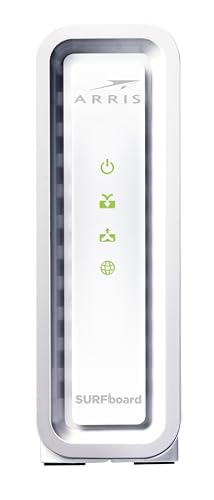
ARRIS SURFboard SB8200 DOCSIS 3.1 Cable Modem | Up to 1 Gbps Plans | Two 1 GbE ports deliver up to 2 Gbps wired aggregate; works with Xfinity, Cox, Spectrum; modem only, router required.




As an Amazon Associate we earn from qualifying purchases. Product prices and availability are accurate as of the date/time indicated.
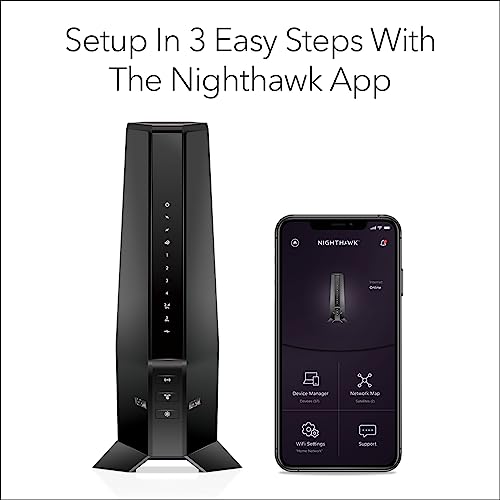
NETGEAR Nighthawk DOCSIS 3.1 Modem Router Combo CAX30, WiFi 6, 2.7 Gbps | Multi-Gig, Reliable Performance, Guided Set Up, 4× Gig Ports, Xfinity/Spectrum/Cox Compatible, Dual-band, Free Expert Help




As an Amazon Associate we earn from qualifying purchases. Product prices and availability are accurate as of the date/time indicated.
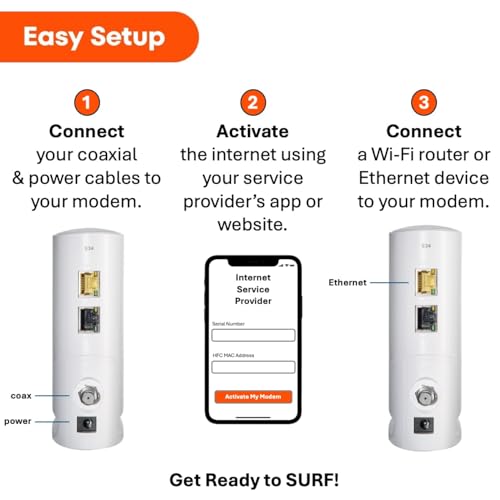
Arris Surfboard S34 DOCSIS 3.1 Multi-Gig Cable Modem | 2.5Gbps + 1Gbps Ethernet Ports | Compatible with Xfinity, Cox, Spectrum | Next Gen Upstream | Modem Only, Router Required




As an Amazon Associate we earn from qualifying purchases. Product prices and availability are accurate as of the date/time indicated.

NETGEAR Nighthawk DOCSIS 3.1 Cable Modem CM2500, 2 Gbps, Modem Only | Multi-Gig, Reliable Performance, Guided Set Up, 2× Gigabit Ports, Compatible with Xfinity/Spectrum/Cox, Free Expert Help


As an Amazon Associate we earn from qualifying purchases. Product prices and availability are accurate as of the date/time indicated.

Hitron CODA56 Cable Internet Modem ONLY - DOCSIS 3.1 | 2.5 Gbps | NO WiFi - Requires Router | Xfinity/Spectrum/Cox Compatible | NOT for Fiber/DSL


As an Amazon Associate we earn from qualifying purchases. Product prices and availability are accurate as of the date/time indicated.
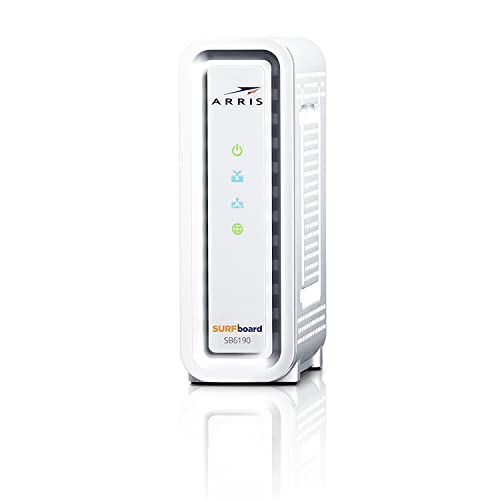
ARRIS Surfboard SB6190 32x8 DOCSIS 3.0 Cable Modem with 1.4 Gbps Download and 262 Upload Speeds, White (Non-Retail Packaging) (Renewed)


As an Amazon Associate we earn from qualifying purchases. Product prices and availability are accurate as of the date/time indicated.

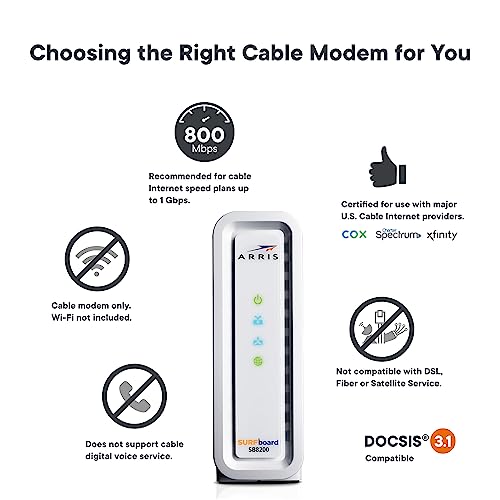
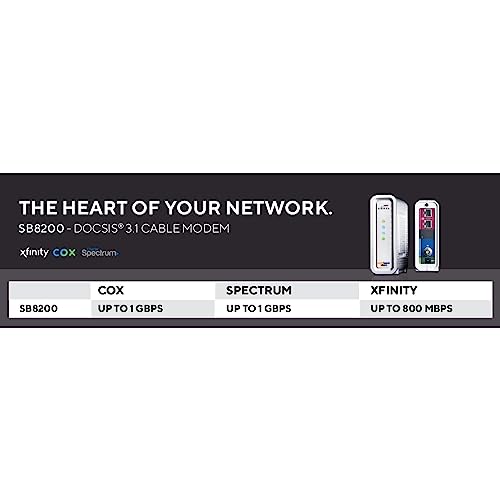
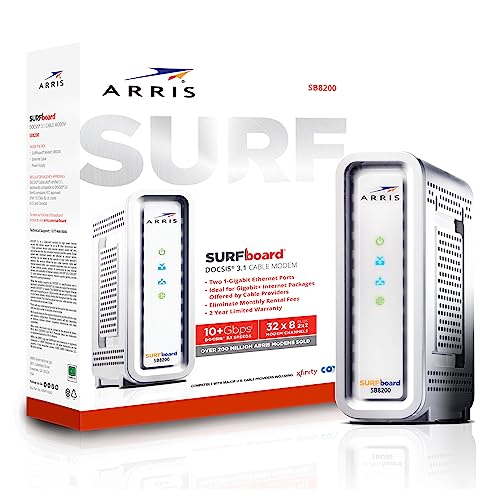
ARRIS (SB8200-RB) - Cable Modem - Fast DOCSIS 3.1 32x8 Gigabit Cable Modem , Approved for Comcast Xfinity, Cox, Charter Spectrum, & more | 1 Gbps Max Internet Speed, 4 OFDM Channels - Renewed



As an Amazon Associate we earn from qualifying purchases. Product prices and availability are accurate as of the date/time indicated.

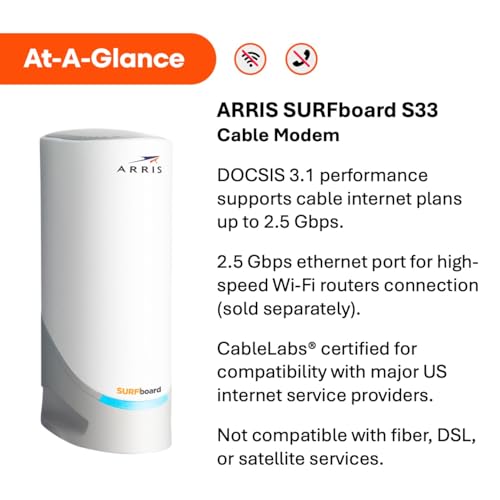
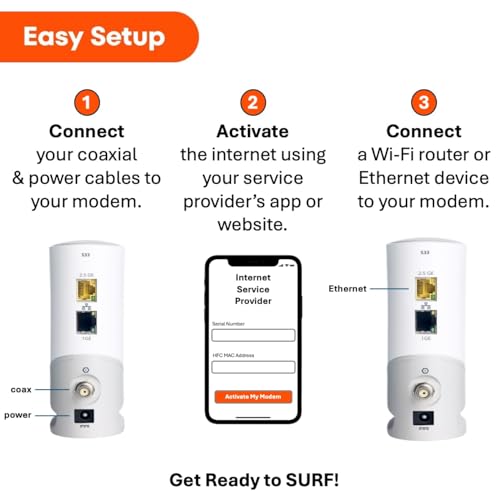
ARRIS Surfboard S33 DOCSIS 3.1 Multi-Gig Cable Modem | Up to 2.5 Gbps | One 2.5 GbE + one 1 GbE port; ideal for Xfinity, Cox, Spectrum gigabit plans; modem only, Wi-Fi router required.




As an Amazon Associate we earn from qualifying purchases. Product prices and availability are accurate as of the date/time indicated.

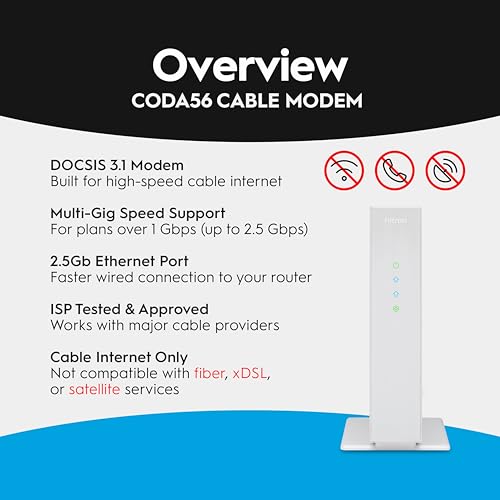
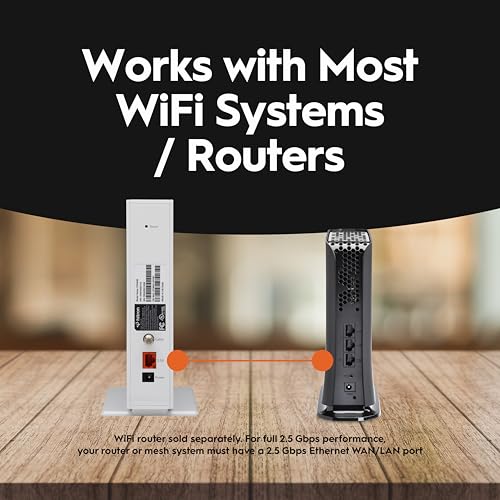
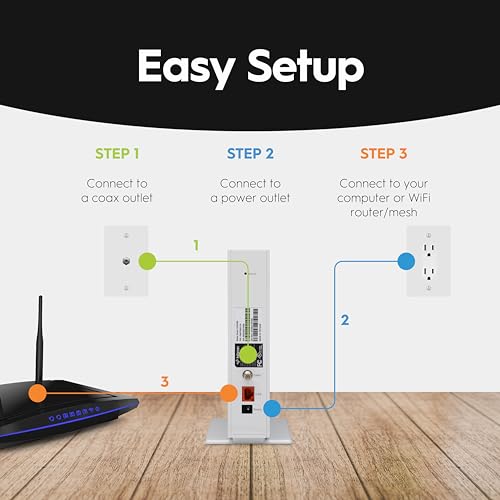
Hitron CODA56 DOCSIS 3.1 Cable Modem ONLY (NOT Fiber) | 2.5 Gbps | NO WiFi/Voice/Router | Single Ethernet Port | Xfinity/Spectrum/Cox Compatible | Requires Separate WiFi Router


As an Amazon Associate we earn from qualifying purchases. Product prices and availability are accurate as of the date/time indicated.
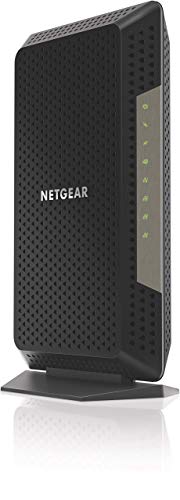
NETGEAR Nighthawk Cable Modem CM1200 - Compatible with All Cable Providers| For Cable Plans Up to 2 Gigabits | 4 x 1G Ethernet Ports | DOCSIS 3.1, Black (Renewed)


As an Amazon Associate we earn from qualifying purchases. Product prices and availability are accurate as of the date/time indicated.
| Model | Key point from the title | Price tier | Best for |
|---|---|---|---|
| ARRIS SURFboard SB8200 | DOCSIS 3.1, two 1 GbE ports, modem only | Mid-range | Plans up to 1 Gbps |
| NETGEAR Nighthawk CAX30 | Modem router combo, Wi-Fi 6, 2.7 Gbps | Premium | One-box setups |
| ARRIS Surfboard S34 | DOCSIS 3.1 multi-gig, 2.5 Gbps and 1 Gbps ports | Premium | Multi-gig plans |
| NETGEAR Nighthawk CM2500 | 2 Gbps, modem only, two gigabit ports | Mid-range | Fast plans with simple wiring |
| Hitron CODA56 (listing one) | 2.5 Gbps, no Wi-Fi, requires router | Mid-range | Multi-gig plans |
| ARRIS SB6190, renewed | DOCSIS 3.0, 32×8 channels, non-retail packaging | Budget | Slow plans only |
| ARRIS SB8200-RB, renewed | DOCSIS 3.1, 32×8, 1 Gbps max | Budget | Gigabit plans on a budget |
| ARRIS Surfboard S33 | Up to 2.5 Gbps, one 2.5 GbE and one 1 GbE port | Mid-range | Multi-gig on a mid budget |
| Hitron CODA56 (listing two) | 2.5 Gbps, single Ethernet port, not fiber | Mid-range | Multi-gig plans |
| NETGEAR Nighthawk CM1200, renewed | For plans up to 2 Gbps, four 1G ports | Budget | Wired multi-device setups |
What a cable modem is and where it sits
A cable modem is the box that talks to your provider’s cable network over coaxial cable and hands an Ethernet connection to your home. It is not a Wi-Fi router. The router sits behind the modem and creates your local network. A modem router combo packs both into one device. Titles that say “modem only” or “router required” are telling you that you still need to buy or already own a router. Titles that say “NOT for Fiber/DSL” are a reminder that cable modems work only with cable internet.
What is shifting in home internet gear
Broad trends only, since specifics vary by provider and region. First, multi-gig is spreading. Plans above 1 Gbps have driven modems with 2.5 GbE ports, which is why several listings here pair a 2.5 Gbps port with a standard 1 Gbps port. A multi-gig port only helps if the router and the devices you care about also support it.
Second, DOCSIS 3.1 is now the baseline for new modems, and providers have gradually stopped supporting some older units, so a very old DOCSIS 3.0 device carries more risk of being dropped from an approved list. Third, many households are choosing separate modems and routers so that they can upgrade Wi-Fi without swapping the modem. Finally, renting a modem from the provider is common, and many households buy their own to avoid monthly fees, which is why the price-versus-rental question appears in the worked example below.
How the ten were chosen
The ten listings come from the current Amazon results for the keyword. This article draws on each title, manufacturer documentation and the kinds of comments buyers commonly leave. Nobody on the team used or measured these units. There are no speed readings or latency numbers here, because none were produced. Price tiers are relative within the set, not dollar figures. Any compatibility statement is the seller’s claim and should be checked against your provider’s list.
The ten modems one by one
ARRIS SURFboard SB8200, DOCSIS 3.1, modem only
The title says DOCSIS 3.1, plans up to 1 Gbps, two 1 GbE ports delivering up to 2 Gbps wired aggregate, works with Xfinity, Cox and Spectrum, modem only, router required. The aggregate claim depends on link aggregation, which your router has to support, so for most homes this is a gigabit modem.
The title is the only source used here, so details beyond it are for you to confirm. It suits someone on a plan up to 1 Gbps who already owns a router. A scenario: replacing a rented modem and connecting it to an existing mesh router.
- Pro: DOCSIS 3.1 with two Ethernet ports named.
- Pro: stated compatibility with three big providers.
- Con: modem only, so a router is required.
- Con: the 2 Gbps claim is wired aggregate, not a single-device speed.
Check the listing for your provider’s approved list and for the warranty terms. One question to ask before buying: does your router support link aggregation, or will you effectively be using one gigabit port?
NETGEAR Nighthawk CAX30 modem router combo with Wi-Fi 6
This listing is a different class: a DOCSIS 3.1 modem plus a dual-band Wi-Fi 6 router in one box, 2.7 Gbps, multi-gig, four gigabit ports, guided setup and free expert help, with Xfinity, Spectrum and Cox compatibility named. That is a combo, so it is not directly comparable with modem-only listings.
Because it includes the router, you also have to think about where the box sits, since the best spot for Wi-Fi coverage is not always where the coaxial outlet is. It suits someone who wants one device and fewer cables, such as a small apartment. A scenario: setting up a first home network with a single box.
- Pro: modem and Wi-Fi 6 router together.
- Pro: guided setup and expert help named.
- Con: if the router portion becomes outdated, you replace the whole box.
- Con: premium price tier compared with modem-only units.
Check the listing for the Wi-Fi coverage claims and remember that coverage depends on your home layout. One question to ask before buying: do you want to upgrade Wi-Fi separately in a few years, or is the all-in-one convenience worth it?
ARRIS Surfboard S34, DOCSIS 3.1 multi-gig
The title lists DOCSIS 3.1, multi-gig, a 2.5 Gbps port plus a 1 Gbps port, compatibility with Xfinity, Cox and Spectrum, next-gen upstream, modem only. The next-gen upstream phrase is marketing language, so confirm what it means in the manufacturer’s documentation.
It is the highest-priced modem-only unit in this group by tier, so the question is whether you will use what you pay for. It suits a household on a plan above 1 Gbps with a router that has a 2.5 GbE port. A scenario: a home office with a 2.5 GbE router and a multi-gig plan.
- Pro: 2.5 Gbps port named in the title.
- Pro: second 1 Gbps port.
- Con: premium price tier.
- Con: no benefit unless your plan and router use multi-gig.
Check the listing for upstream details and for the approved-provider list. One question to ask before buying: is your plan fast enough to justify the multi-gig port?
NETGEAR Nighthawk CM2500, 2 Gbps, modem only
This one is a DOCSIS 3.1 modem at 2 Gbps, modem only, with multi-gig branding, guided setup, two gigabit ports, Xfinity, Spectrum and Cox compatibility, and free expert help. Two gigabit ports means a single wired device tops out around 1 Gbps unless you use link aggregation.
It suits a household on a fast plan that wants a clean modem-only box with support. A scenario: pairing it with a mesh router.
- Pro: 2 Gbps rating and guided setup named.
- Pro: two gigabit ports.
- Con: modem only, router required.
- Con: no 2.5 GbE port, which some multi-gig plans benefit from.
Check the listing for how the two ports work together and for provider approval. One question to ask before buying: are you using link aggregation, or is a single gigabit link enough for you?
Hitron CODA56 modem, listing one
The title says DOCSIS 3.1, 2.5 Gbps, modem only, no Wi-Fi, requires a router, Xfinity, Spectrum and Cox compatible, and not for fiber or DSL. The capitalized warnings are helpful. This and the second Hitron listing appear to be the same model sold under separate listings.
Compared with the second listing, the main difference named in the titles is that this one does not mention the port count. It suits a multi-gig plan with a router that supports it. A scenario: a home with a 2.5 GbE router and a plan that exceeds 1 Gbps.
- Pro: plain statements of what it is not.
- Pro: 2.5 Gbps rating.
- Con: no Wi-Fi at all, router required.
- Con: the title does not describe the Ethernet port layout.
Check the listing for port details. One question to ask before buying: is it worth buying this listing instead of the second Hitron listing, and what is the price gap?
ARRIS SB6190 DOCSIS 3.0, renewed, non-retail packaging
This is an older DOCSIS 3.0 unit with 32×8 channels, 1.4 Gbps download and 262 upload speeds claimed, white, non-retail packaging, renewed. The speeds are channel-bonding maximums that real plans rarely reach.
Because DOCSIS 3.0 is the older generation, this is the listing most worth checking against your provider’s list before purchase. It suits a slower plan and a tight budget, or a spare. A scenario: a cheap swap on an old, slower plan.
- Pro: very low price tier.
- Pro: DOCSIS 3.0 channel counts are stated in the title.
- Con: DOCSIS 3.0 is an older standard that providers may phase out.
- Con: renewed, with non-retail packaging.
Check the listing for return policy and whether your provider still approves it, since DOCSIS 3.0 support varies. One question to ask before buying: will the saving be worth it if the provider stops supporting the model?
ARRIS SB8200-RB, DOCSIS 3.1, renewed
The title gives a DOCSIS 3.1 32×8 gigabit modem approved for Comcast Xfinity, Cox, Charter Spectrum and more, 1 Gbps max, 4 OFDM channels, renewed. It is the same family as the first listing but bought used or refurbished.
The title mentions 4 OFDM channels, which is a 3.1 feature, but the details are for the manufacturer’s page to explain. It suits a plan up to 1 Gbps where saving money matters. A scenario: replacing a rental fee with a refurbished modem.
- Pro: DOCSIS 3.1 at a low price tier.
- Pro: stated provider approvals.
- Con: renewed unit, so condition and warranty vary.
- Con: 1 Gbps max in the title.
Check the listing for the renewal grade, included accessories and warranty. One question to ask before buying: is the discount worth taking on a refurbished device?
ARRIS Surfboard S33, DOCSIS 3.1 multi-gig
The title says up to 2.5 Gbps, one 2.5 GbE port and one 1 GbE port, ideal for gigabit plans with Xfinity, Cox and Spectrum, modem only, Wi-Fi router required.
It suits someone who wants multi-gig capability without paying the premium tier. A scenario: a household whose plan may move above 1 Gbps.
- Pro: a 2.5 GbE port named.
- Pro: lower price tier than the S34.
- Con: modem only.
- Con: title does not describe upstream features.
Check the listing for provider lists and compare with the S34. One question to ask before buying: do you need the extra features of the S34, or is this sufficient?
Hitron CODA56, listing two
This is the second CODA56 listing: DOCSIS 3.1 cable modem only, not fiber, 2.5 Gbps, no WiFi, voice or router, a single Ethernet port, Xfinity, Spectrum and Cox compatible, requires a separate router. The single port matters if you want to use link aggregation.
It suits a multi-gig plan with a router that has a 2.5 GbE port. A scenario: a direct connection to a multi-gig router.
- Pro: clear warnings about what it does not do.
- Pro: 2.5 Gbps rating.
- Con: single Ethernet port.
- Con: duplicates the first Hitron listing.
Check the listing to confirm the port speed. One question to ask before buying: why does this listing exist beside the first one, and which has better return terms?
NETGEAR Nighthawk CM1200, renewed
The title says compatible with all cable providers, for plans up to 2 Gigabits, four 1G Ethernet ports, DOCSIS 3.1, renewed. The all providers claim is broad, so verify it with your provider.
It suits a wired home with several devices that want direct Ethernet connections. A scenario: a home office with a switch-free setup.
- Pro: four Ethernet ports named.
- Pro: low price tier.
- Con: renewed.
- Con: 2 Gbps claim with four 1G ports needs aggregation to be used.
Check the listing for provider approval and warranty. One question to ask before buying: does your provider list this model as approved?
Cable modem, router or combo: which box does what
Three terms get mixed up on product pages. A cable modem converts the signal on your provider’s coaxial line into Ethernet. A router creates your home network, assigns addresses to devices and provides Wi-Fi. A modem router combo, sometimes called a gateway, does both in one case. Modem-only units give you freedom to choose or replace the router whenever you like, which matters because Wi-Fi standards change faster than cable standards. Combos reduce clutter and give one place to look when something fails, but a failed router half means replacing the modem half as well. If you rent a gateway from your provider today, buying a modem and a router of your own can reduce monthly fees, though you take on the setup and troubleshooting.
Decoding the jargon in these titles
Cable modem titles are dense, so here is a short decoder. DOCSIS is the standard the cable network uses, and 3.1 is the newer generation. Numbers like 32×8 count the downstream and upstream channels the modem can bond together. OFDM is a newer signal type used by 3.1 modems, mentioned in one renewed title. GbE means gigabit Ethernet, so 2.5 GbE is a port rated for 2.5 Gbps. Wired aggregate means two ports combined, which depends on your router. Renewed means previously owned or refurbished. Non-retail packaging means the box may be plain. Finally, phrases such as next-gen upstream or guided setup are marketing language, so look to the manufacturer’s page for specifics. When two claims in a title seem to conflict, such as a 2 Gbps rating alongside gigabit ports, assume the lower real-world figure for a single device until you can confirm otherwise.
Buying guide: matching a modem to your plan
Start with your provider’s approved list
Providers publish lists of approved modems and update them as networks change. A title naming Xfinity, Cox or Spectrum is the seller’s claim and is not a guarantee. Look up your provider’s current list, find your plan speed and confirm that the model you want is supported for that tier. The CM1200 title says it is compatible with all cable providers, which is the kind of blanket statement that deserves a double check.
DOCSIS version and plan speed
DOCSIS 3.1 is the safer choice for plans at or above 1 Gbps. A DOCSIS 3.0 unit such as the SB6190 may still run slower plans, but some providers retire older approvals over time. Speed ratings in titles are maximums, and your real throughput depends on your plan, your wiring and your router. A 32×8 designation refers to downstream and upstream channel bonding, which determines the ceiling and is useful for comparing listings in the same family.
Ports and multi-gig
A single gigabit port caps one wired device at about 1 Gbps. A 2.5 GbE port, as on the S33, S34 and Hitron listings, helps only when the router also has a 2.5 GbE port and your plan is above gigabit. Two gigabit ports, as on the SB8200 and CM2500, offer up to 2 Gbps in aggregate only when the router supports link aggregation. If you do not know what that is, plan around a single 1 Gbps link.
Modem only or combo
Modem only suits people who already own a good router or want to pick their own. A combo suits small spaces and first-time setups. Decide based on how often you expect to upgrade Wi-Fi, how much space you have and how much you value having a single device to manage.
Renewed units
Renewed units lower the price but add questions. Check the condition grade, the return window and the warranty, and confirm that the previous owner’s account is not still tied to the device, since a provider may refuse to activate a unit that is flagged. Non-retail packaging can mean fewer accessories in the box.
Safety and installation
Do not open the casing, because there are no user-serviceable parts and mains power is present inside. Hand-tighten coaxial connectors, keep the unit in a ventilated spot away from heat, consider a surge protector, and follow the manufacturer’s instructions and local codes for any wiring in walls. If a storm is nearby, many people disconnect the coaxial line and power.
Worked example: buy or rent
Assumptions, which are estimates and not product prices: your provider charges 15 dollars per month to rent a modem, and a suitable new modem costs 150 dollars. The break-even is 10 months (150 divided by 15). If you keep the modem for four years, renting would cost 720 dollars (15 times 48), so buying saves about 570 dollars before the price of a router. If a renewed unit costs 90 dollars, the break-even drops to 6 months, but you carry the risk of a shorter life and a weaker warranty. Your own numbers will differ, so check your bill for the real rental fee.
| Spec concept | What to look for | Why it matters |
|---|---|---|
| Provider approval | Model on your provider’s current list | Unapproved modems may not activate |
| DOCSIS version | 3.1 for fast plans | Older standards risk being phased out |
| Ethernet ports | 2.5 GbE for multi-gig plans | One gigabit port caps one device |
| Modem or combo | Modem only or built-in router | Decides how you upgrade later |
| Condition | New or renewed, with warranty | Affects risk and price |
| Return policy | Window long enough to activate | Activation issues appear early |
Setting one up and fixing common problems
Installation is simple. Connect the coaxial cable from the wall to the modem, plug in power, wait for the lights to settle, connect your router with an Ethernet cable and follow your provider’s activation steps, which normally ask for the modem’s identifying numbers printed on its label. Keep the box and label until activation works.
If the connection drops, check that coaxial connectors are tight and the cable is not kinked or damaged, then restart the modem first, wait for it to settle, and restart the router. If problems continue, ask your provider to check signal levels on the line, since a poor line can look like a bad modem. Try a direct Ethernet connection to a computer to separate a Wi-Fi issue from a modem issue. Avoid splitters you do not need, because each one weakens the signal.
Mistakes buyers make with cable modems
The first mistake is skipping the provider list and trusting the title. The second is buying multi-gig without a multi-gig router or a plan that needs it. Third, forgetting that modem only means you must also own a router. Fourth, buying an old DOCSIS 3.0 unit for a fast plan. Fifth, ignoring the return window on a renewed unit, since activation problems show up in the first days. Sixth, treating Wi-Fi 6 on a combo as a fix for poor router placement, because walls and distance still matter. Seventh, buying two near-identical listings by accident, as happens with the two CODA56 pages.
Which modem for which household
For plans up to 1 Gbps, the ARRIS SB8200 and its renewed sibling are the straightforward picks, with the renewed one at a lower price tier. For multi-gig plans, the ARRIS S33, the S34 and the Hitron CODA56 listings fit, with the S33 at a lower tier than the S34. For one-box simplicity, the NETGEAR CAX30 is the only combo here. For a wired setup with several devices, the NETGEAR CM1200 and CM2500 offer more ports or a 2 Gbps rating. For the tightest budget, the SB6190 is the cheapest but carries the most risk of being dropped by a provider.
Whatever you choose, treat the provider list as the tiebreaker. A cheaper modem that your provider will not activate costs more than a pricier one that works on day one.
Related guides
- 3 In 1 Wireless Charging Stations For Iphone Apple Watch Airpods
- Apple Iphone 17 Vs 17 Pro Vs 17 Pro Max Vs Air
- 20000Mah Power Bank For Laptop And Phone
Frequently asked questions
Do I need a modem and a router, or a combo unit?
A cable modem connects your home to the internet provider’s network, and a router shares that connection with your devices over wired ports and Wi-Fi. Several listings here are modem only and need a separate router. One listing is a modem router combo with Wi-Fi 6 built in. Combos save space and cables, while separate units let you replace or upgrade each part on its own schedule.
Will any cable modem work with my internet provider?
No. Providers keep lists of modems they approve, and a listing that says it works with Xfinity, Spectrum or Cox is a seller claim. One listing here says it works with all cable providers, which is broader than any title should be trusted at face value. Before buying, check your provider’s current approved modem list and confirm that your plan speed is supported.
What does DOCSIS 3.1 mean and do I need it?
DOCSIS is the standard cable networks use to carry internet data. DOCSIS 3.1 is the newer generation compared with DOCSIS 3.0 and is generally associated with higher speed plans and better efficiency. If your plan is gigabit or higher, a DOCSIS 3.1 modem is usually the safer match. A DOCSIS 3.0 unit like the older ARRIS listing here may still work on slower plans, but confirm support with your provider.
Is a renewed or refurbished modem a good idea?
It can be, if the price gap is meaningful and the seller offers a return window and warranty. Renewed units have been used before, so check the condition grade, what is included in the box and whether your provider will activate it. Ask whether the unit carries a manufacturer warranty or only a seller guarantee, because the answer changes how much risk you carry.
Will a faster modem give me faster internet?
Only if your plan, your router and your wiring can use the speed. A modem cannot exceed what your provider delivers, and a single gigabit Ethernet port can limit one wired device to about 1 Gbps. Multi-gig ports and a matching router only help when your plan is above gigabit. Many households on plans up to 1 Gbps are well served by a DOCSIS 3.1 modem without paying for more.
How do I install a cable modem?
Connect the coaxial cable from the wall to the modem, plug in power, connect the modem to your router by Ethernet, then contact your provider or use its app to activate the unit using the modem’s identifiers. Use hand-tightened coaxial connectors, keep the unit ventilated and consider a surge protector. Follow the manufacturer’s instructions and do not open the casing.